
Facility management software
Every facilities request, from the first message to the signed-off job
FM360AI reads the requests your team already receives by WhatsApp, email and app, turns each one into a ticket with an owner and a deadline, and carries it through to a completed job with photos, a checklist and a sign-off.
- Intake by WhatsApp, email and mobile app
- Web console in English and Arabic
- iOS and Android apps for four roles
WhatsApp07:10
The toilet seat is missing in the men's restroom on the 2nd floor of the main building. There is also a screw sticking out at the back, someone could get hurt.
FM-10509OpenHigh
Toilet seat missing, men's restroom, 2nd floor
Reply sent at 07:16
The toilet seat is missing in the men's restroom on the 2nd floor of the main building. There is also a screw sticking out at the back, someone could get hurt.
1 photoRead by FM360AI
- Type
- Maintenance
- Category
- Plumbing
- Priority
- High
- Location
- Main building, 2nd floor
- Safety
- Flagged
Toilet seat missing, men's restroom, 2nd floor
Acknowledgement with the ticket number sent to the reporter
Swipe the screenshot to see all of it.
One record in place of four half-records
Most facilities teams already have a system. It is a WhatsApp group, a spreadsheet, an email thread and a supervisor's memory. Each holds part of the picture and none holds all of it.

- Requests in a WhatsApp groupEvery message becomes a ticket with a number, an owner and a clock
- The maintenance plan in a spreadsheetSchedules that raise their own tickets with the checklist attached
- Approvals in email threadsApproval workflows with thresholds and a timeline of who decided what
- Completion on someone's wordBefore and after photos, required checklist steps and a supervisor's review
What the reporter sees
A normal message out, a ticket number back
Nobody learns a form. The conversations below use the wording FM360AI sends today; pick a channel and a time of day to see the reply.
Time of day
What FM360AI did with it
- 1Matched the sender to your employee directory
- 2Read the text and the attached media
- 3Chose type, category, priority and area from your lists
- 4Opened the ticket with its SLA and an assignee
- 5Wrote the reply with the ticket number
On WhatsApp, messages are processed in batches, so the reply follows a few minutes later. Email replies arrive in the same thread.
Illustrated conversations with example names. The replies are the product's own wording.
How it works
Follow one request through FM360AI
Five stages, each shown on the real product screen where it happens.
A message arrives
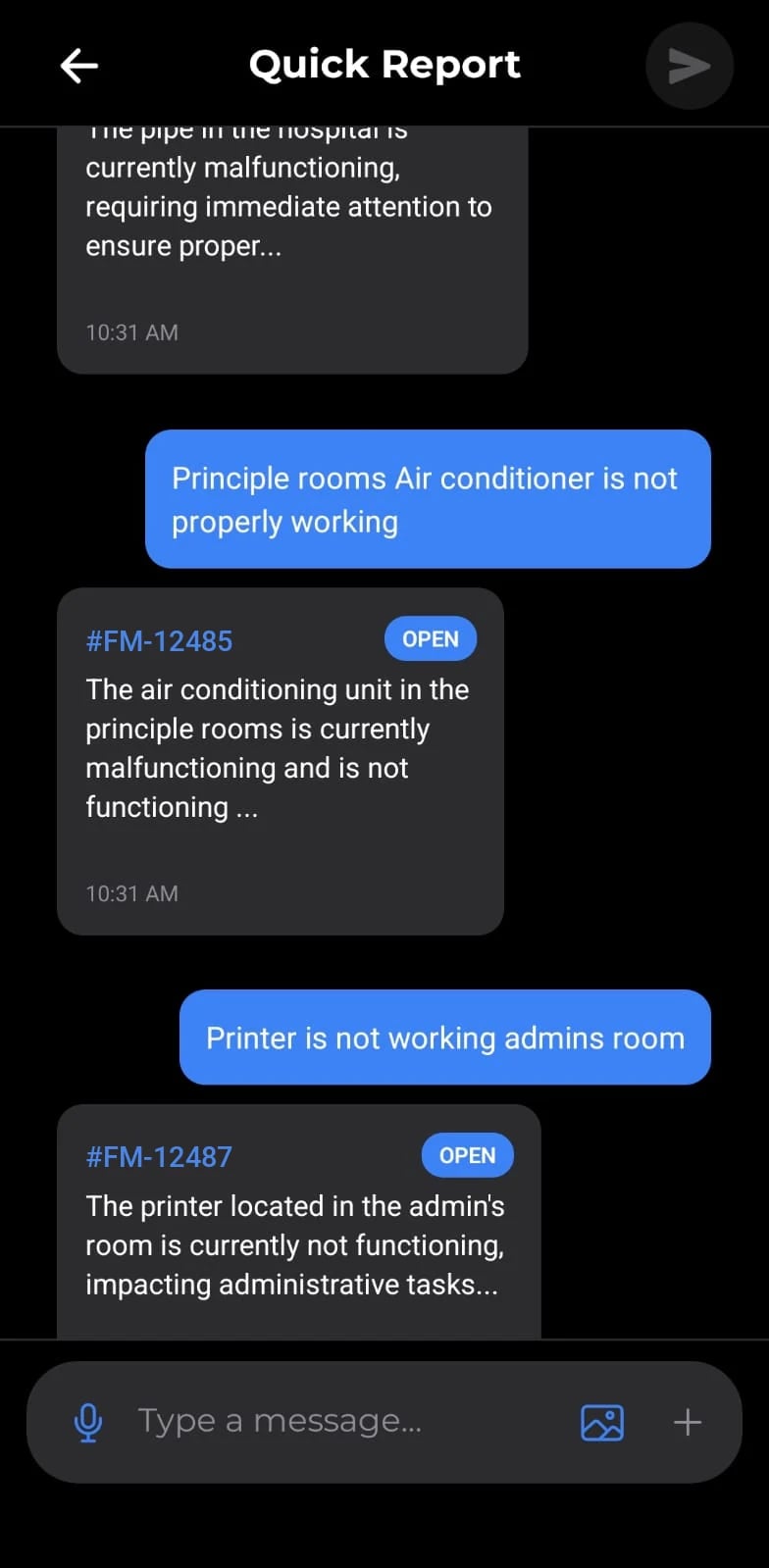
A member of staff sends a WhatsApp message, an email or a Quick Report from the app, with a photo or a voice note if that is easier than typing. The ticket records who reported it and through which channel.
- WhatsApp, email and mobile app
- Photos, video and voice notes
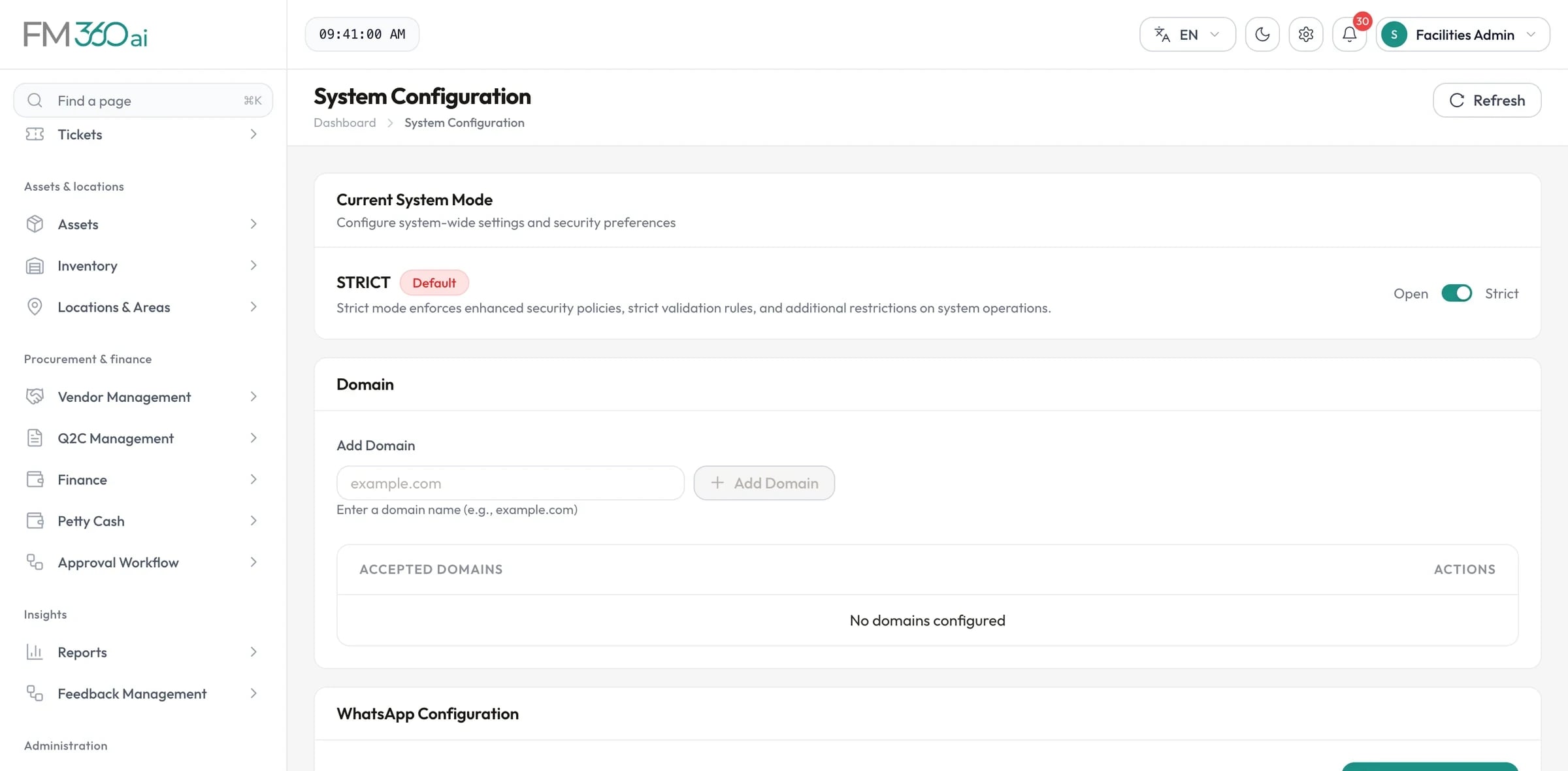
- Open or strict: you decide who may report
Swipe the screenshot to see all of it.
AI sorts it against your own lists
The message is split into separate issues, and each gets a title, a category and sub-category from your configuration, a priority, an area and the matching SLA. Rules you define take precedence over the model.
- Your categories, not generic ones
- Several issues become several tickets
- Safety reports raised straight away
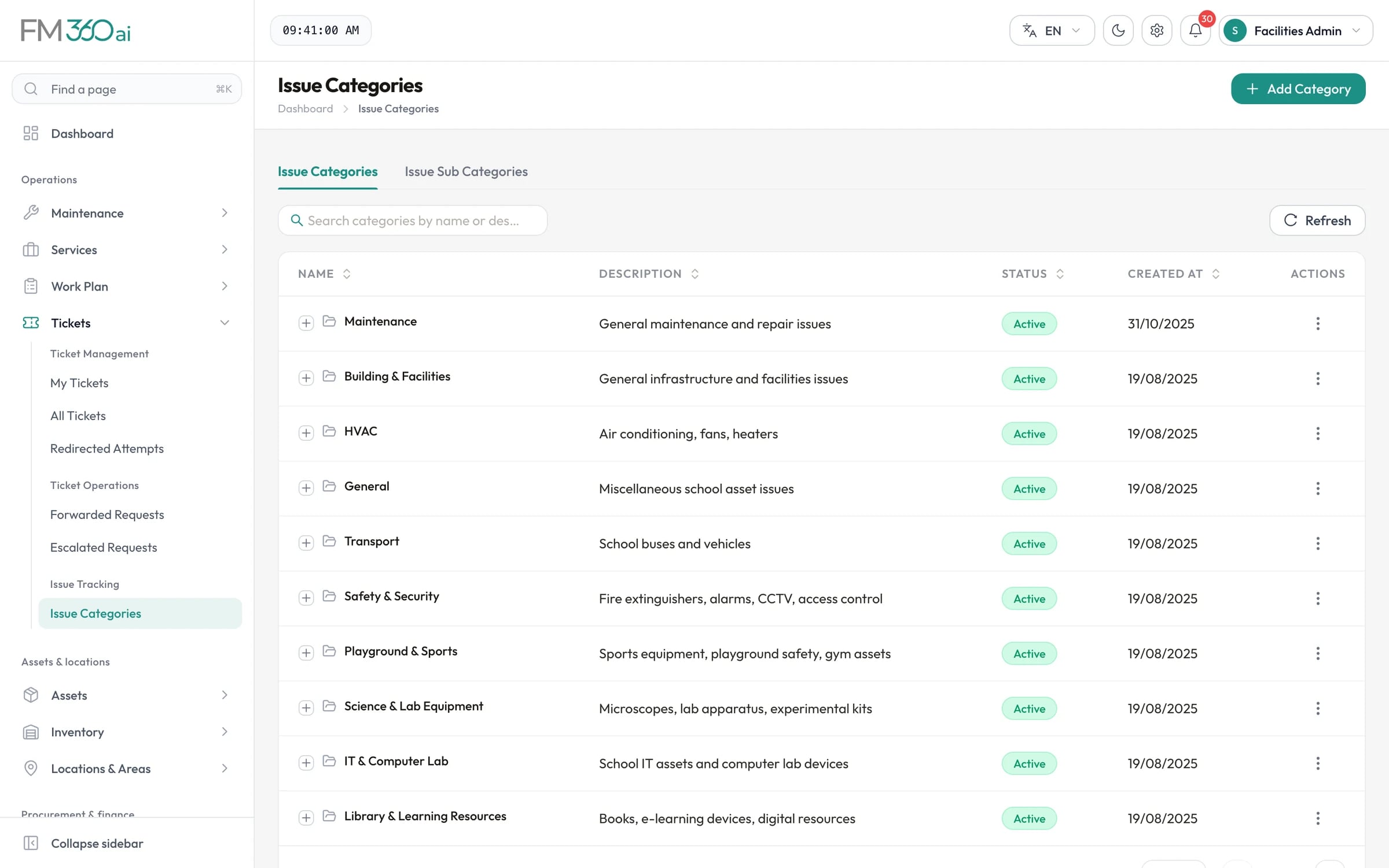
Swipe the screenshot to see all of it.
A supervisor assigns and watches the clock
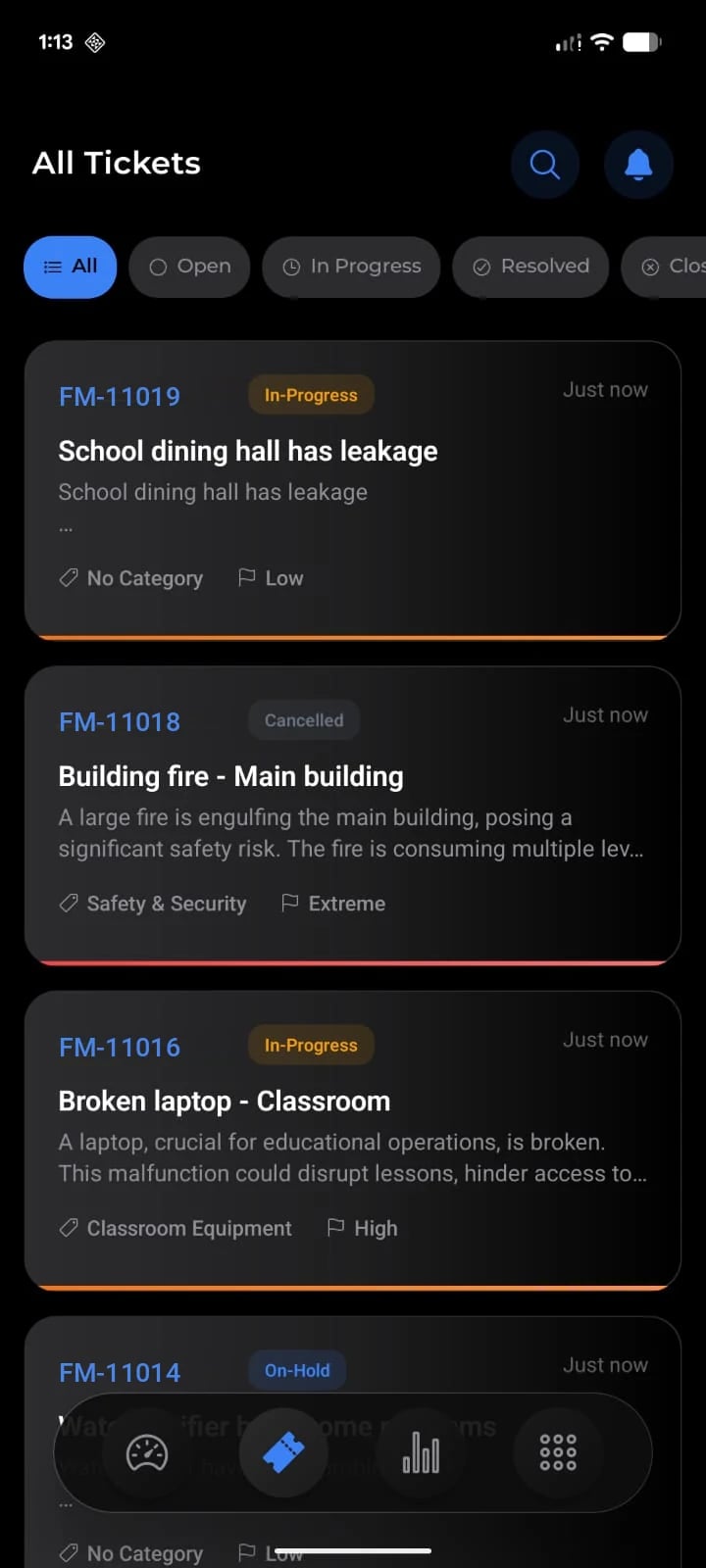
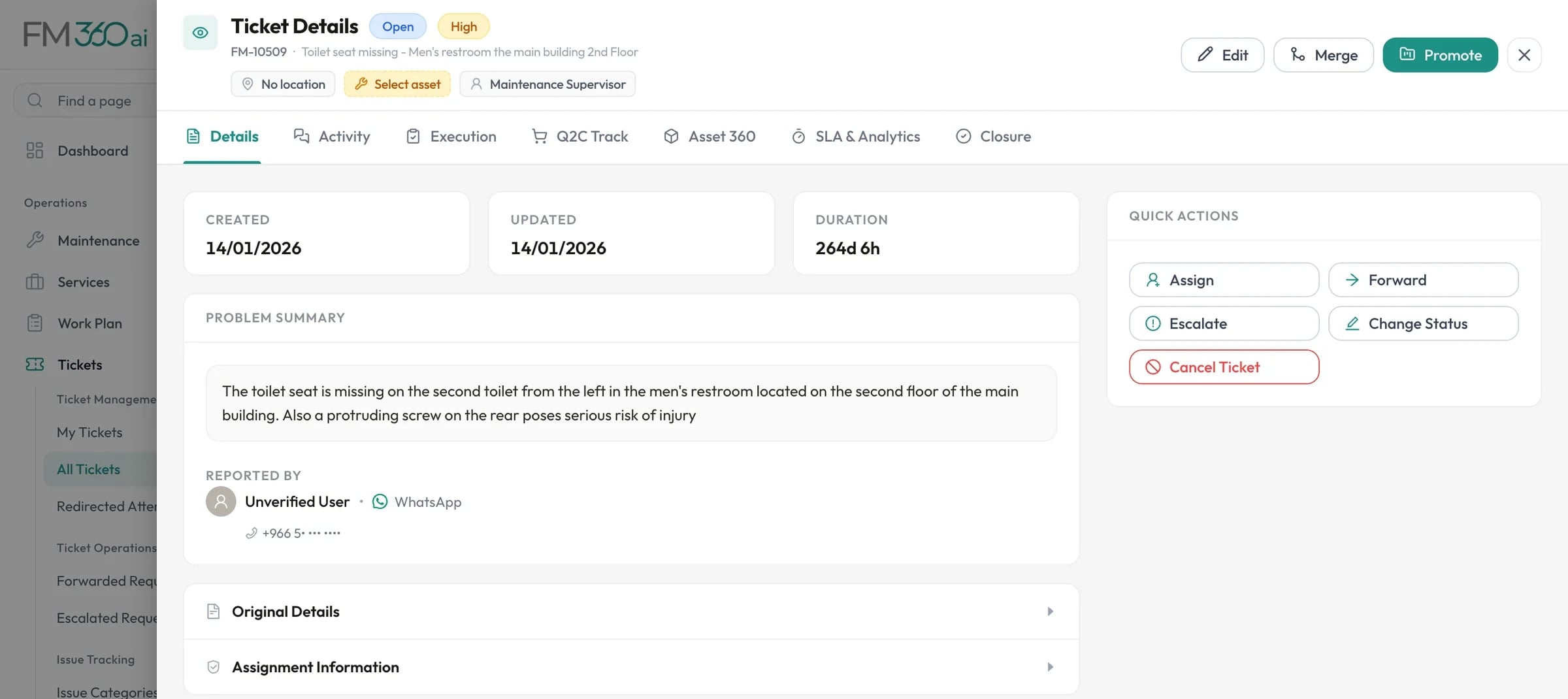
The ticket appears in the queue with its status, priority, category and SLA. The supervisor assigns a technician or a team, or forwards it to the right discipline. Unassigned work is counted at the top of the list.
- Assign to a person, several people or a team
- Forward or escalate with approval
- Response and completion countdown
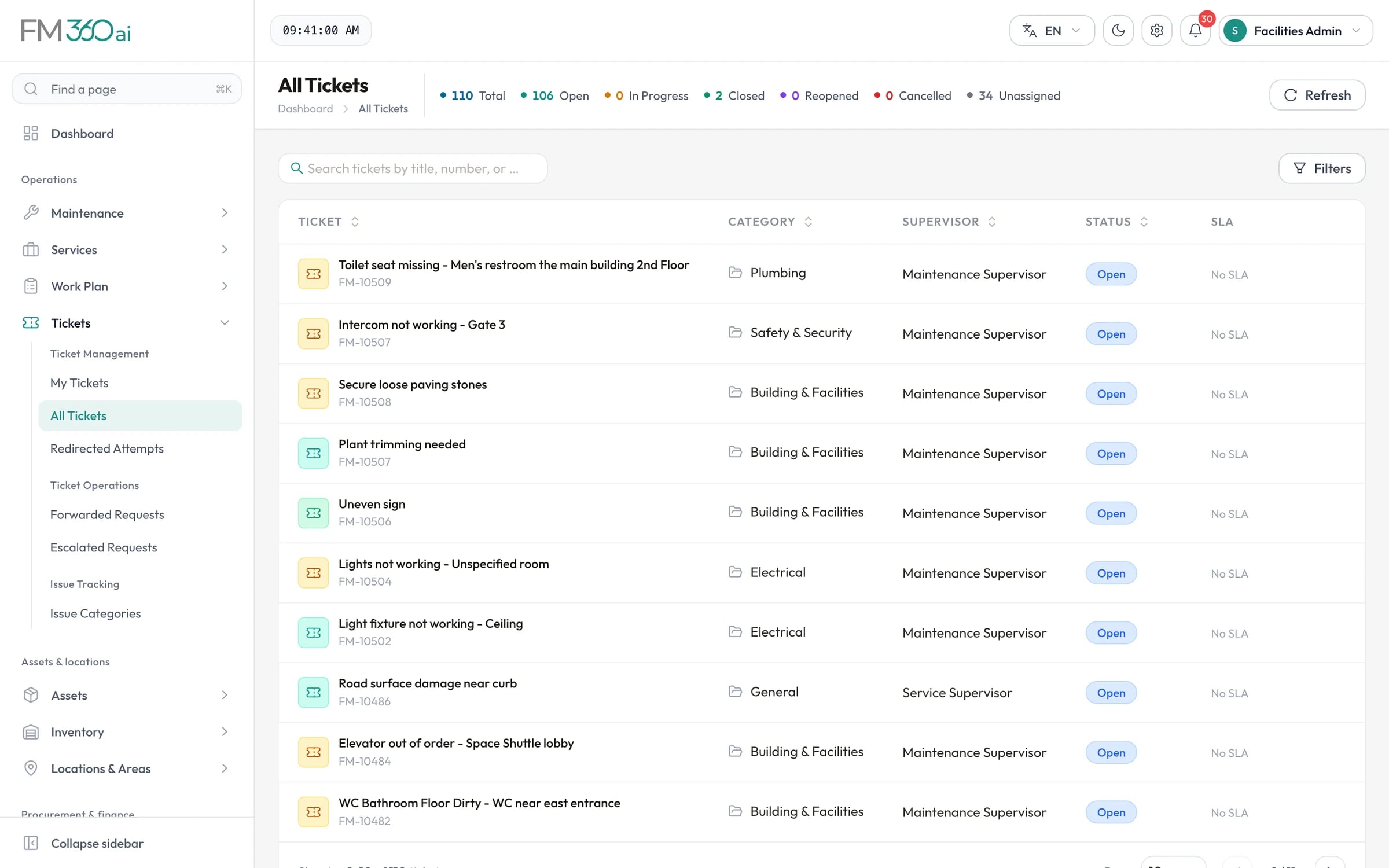
Swipe the screenshot to see all of it.
The technician works from the phone
A push notification opens the job. The app asks for a before photo to start, the checklist steps as work proceeds, and an after photo to finish. Parts and petty cash are requested from the same screen.
- Before and after photos required
- Checklist with safety notes
- Requests for stock and cash
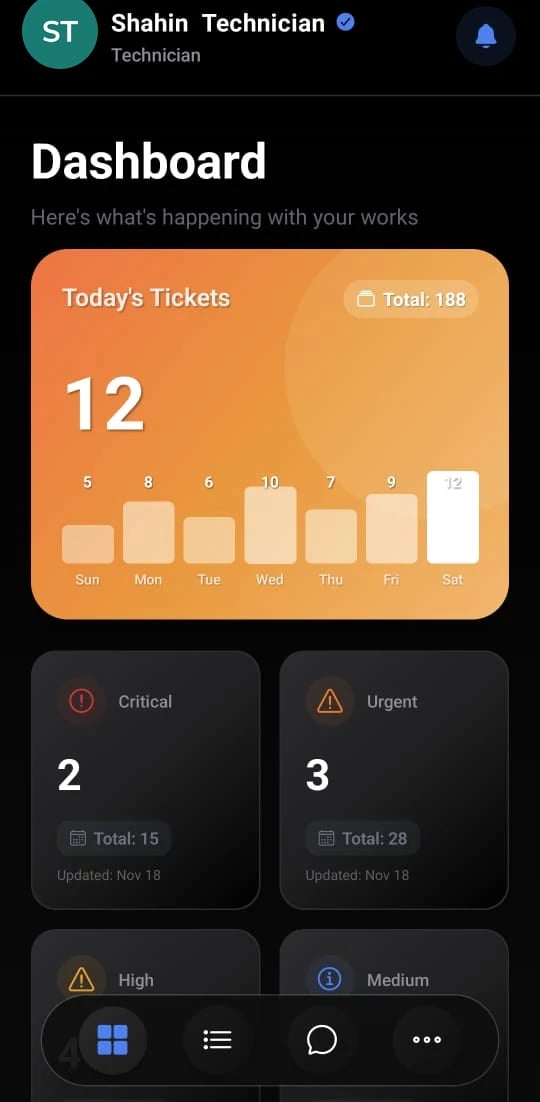
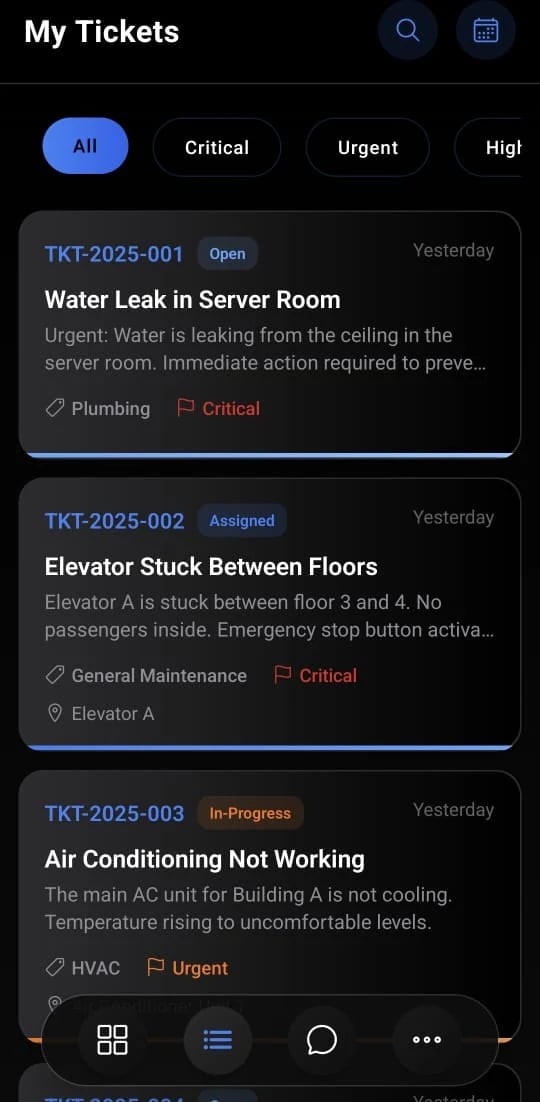
Sign-off with the evidence in view
The supervisor reviews the checklist answers and photos, records a closure reason and closes the ticket. The reporter is told it is done and asked to rate the work.
- Closure reason required
- Reporter notified on the channel they used
- Ratings feed the performance reports
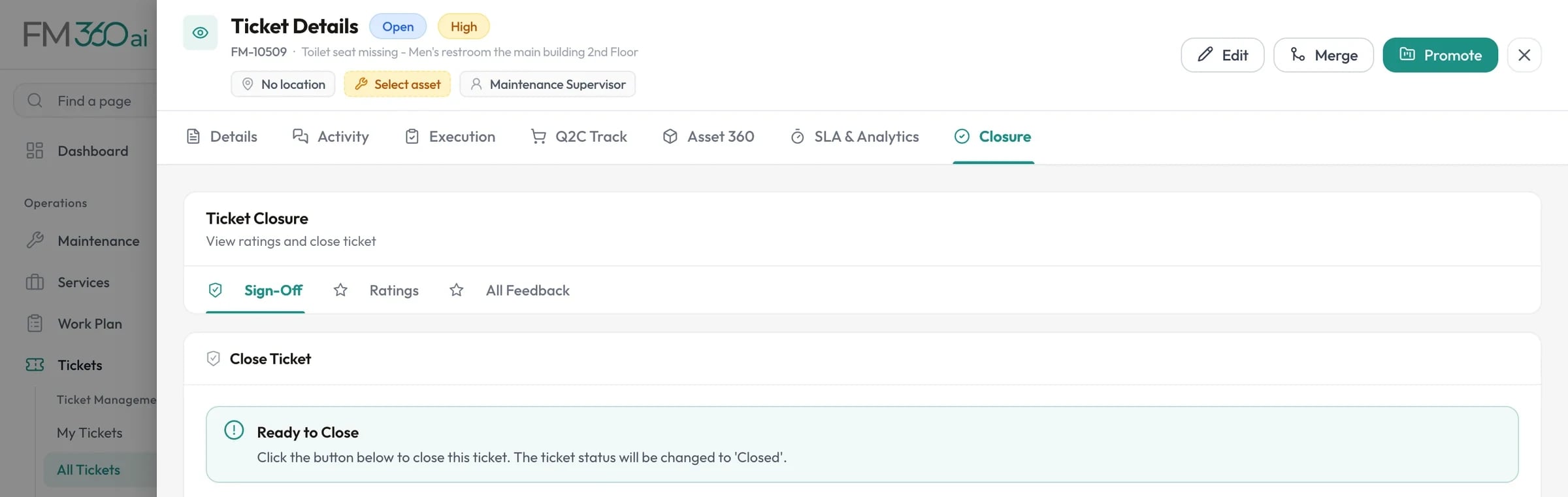
Swipe the screenshot to see all of it.
Screens are from an FM360AI demo environment. Names and contact details have been replaced.
The console
Twenty-five seconds in the web console
A silent film cut from the real screens. Choose a scene to jump to it.
The platform
Maintenance, and everything maintenance depends on
A repair needs a part, a part needs a purchase, a purchase needs a budget. FM360AI keeps them in one system so that none of them has to be chased in another.
Requests
Maintenance
Assets & stock
Procurement & finance
Insight & access
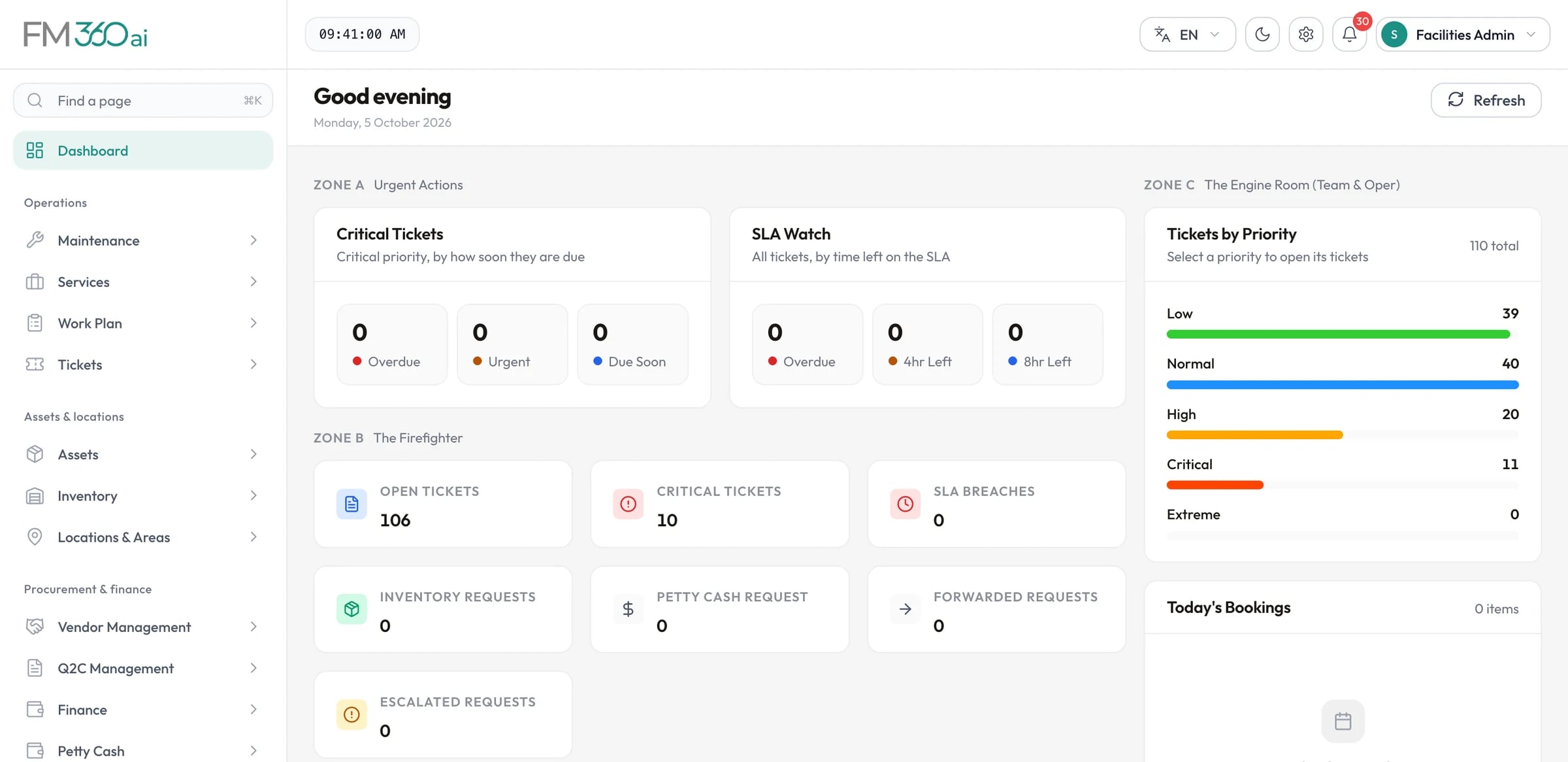
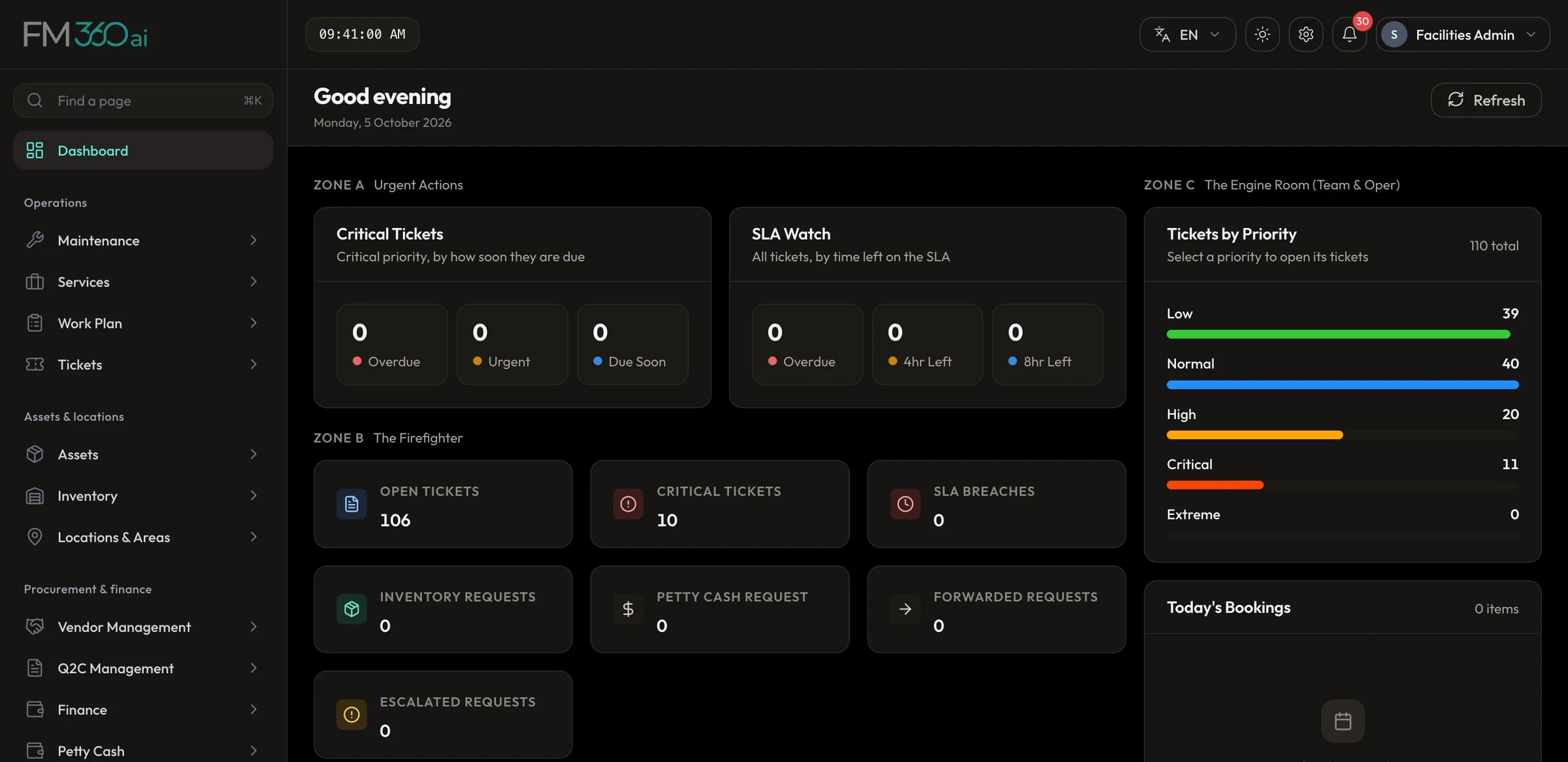
Swipe the screenshot to see all of it.
AI, specifically
The AI does the typing. People make the decisions.
Every place FM360AI uses a model, listed. Each one replaces manual data entry or a first read, and leaves the result for a person to check.
Reading a request
WhatsApp, email and app reports
18 uses
Issue or not
Greetings, thank-yous and test messages are recognised and do not become tickets. Unclear ones are kept for a manager.
One message, several tickets
A message about a light and a leak becomes a parent ticket with a child ticket for each problem.
Ticket type
Each issue is labelled maintenance, service, HSE or other, which decides the team it goes to.
Title and summary
A short title in the form problem and place, with a one or two sentence description.
Category from your list
Category and sub-category are chosen from the ones you configured, not a generic set.
Priority
A priority from low to extreme, which selects the matching SLA.
Location
A place written in free text is matched to an area in your location tree, including Arabic numerals.
Safety flag and instructions
Hazards are flagged, with safety instructions and the expected actions written onto the ticket.
Photo reading
An attached photo is described, so a picture with no text can still open a ticket.
Voice notes
Audio is transcribed and the transcript goes through the same steps as typed text.
Video
Sampled frames and the audio track are read together.
Language
The language is detected, Arabic first, and titles and descriptions are translated to English.
After-hours safety rating
Out of hours, a report is rated critical, high, moderate or low. Critical and high do not wait for morning.
Your rules, matched by meaning
Rules you write are matched to an issue by what it means, not only by exact keywords, and they win over the model.
Duplicate check
A repeat of an existing report is linked to the first ticket by text similarity in place of opening another.
The acknowledgement
The reply to the reporter is written with the ticket number, a short summary and the team responsible.
A reply when reading fails
If a voice note or photo cannot be read, the reporter is told a person will look at it.
Dictation in the app
In the requester app, speak the description and it is typed into the report for you.
Procurement and finance
Quotations, orders, invoices and receipts
8 uses
Documents into line items
Upload a quotation or invoice as PDF, Excel, Word or an image and the form is filled with vendor, date, items, quantities and prices.
Spoken items into lines
Say what you need in English or Arabic. It becomes structured lines, and you are asked for any missing quantity or price.
Vendor and stock matching
Extracted vendors and items are matched to your existing records, including on the pages vendors use to submit documents.
Receipt scanning
Photograph a bill for petty cash and vendor, bill number, date, tax, total and lines are read from it.
Quotation comparison
Quotations for an RFQ are compared on price, delivery, warranty and terms, with a recommended vendor, a confidence score and reasons.
Best-price split
Like items are matched across vendors, the cheapest chosen for each, and the saving against a single vendor shown.
Approval review
A pending order, proforma, payment request or contract is checked against its request, quotation and invoice. You see findings, risks and price variance before you approve.
Payment terms
Describe payment terms by typing or speaking and they become milestones that add up to 100 percent.
What it does not do
There is no assistant that answers questions about your data, no predictive maintenance and no automatic decision without a person. Assignment, approval and closure stay with your team. How AI request intake works
Mobile
Four apps, because four kinds of people use it
Each app is built around one job and signs in only the roles it is meant for. All four run on iOS and Android.
Staff and occupants
Requester app
- Report with photo, video or voice note
- Follow status and comment
- Book rooms and request late access
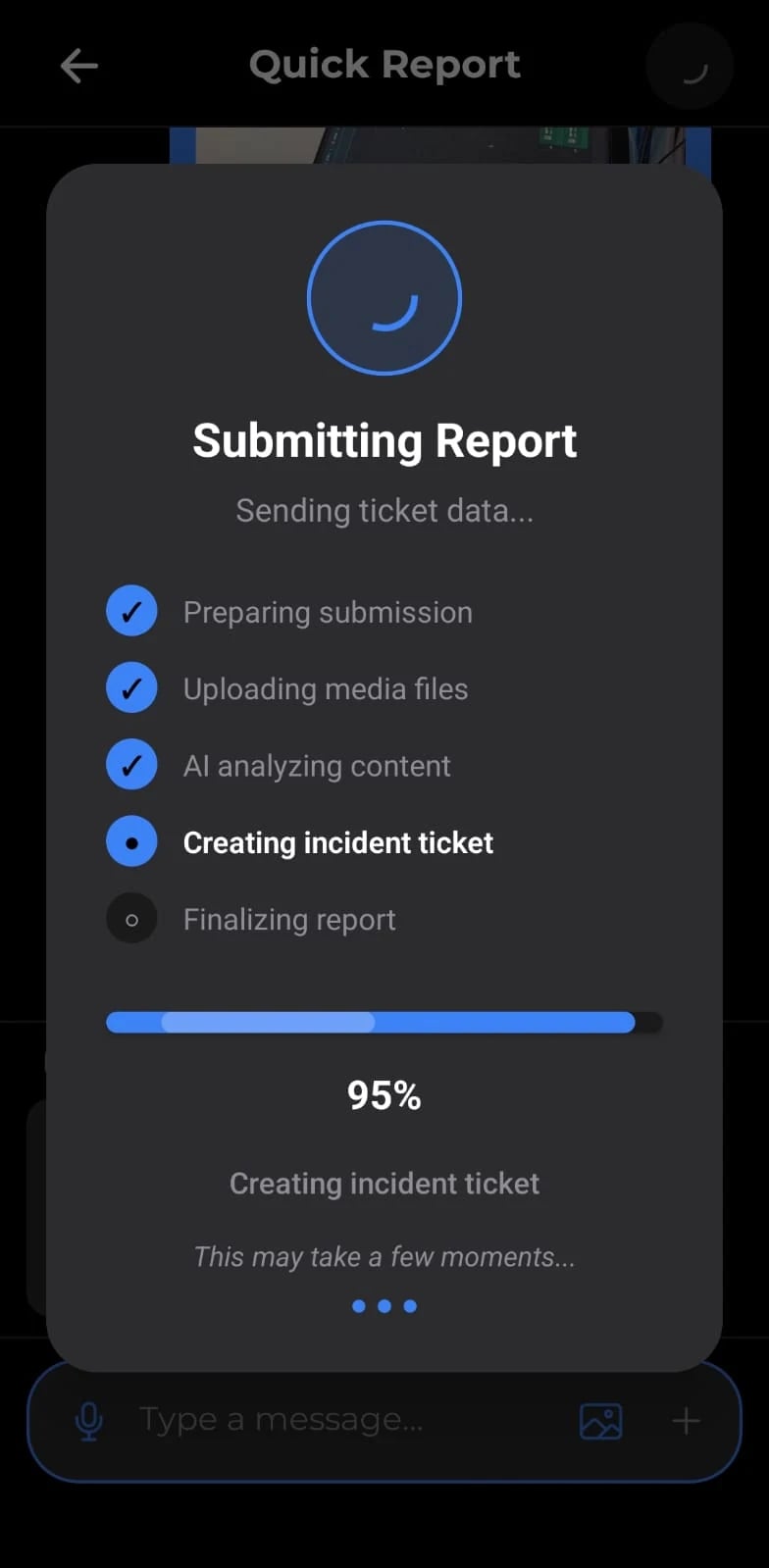
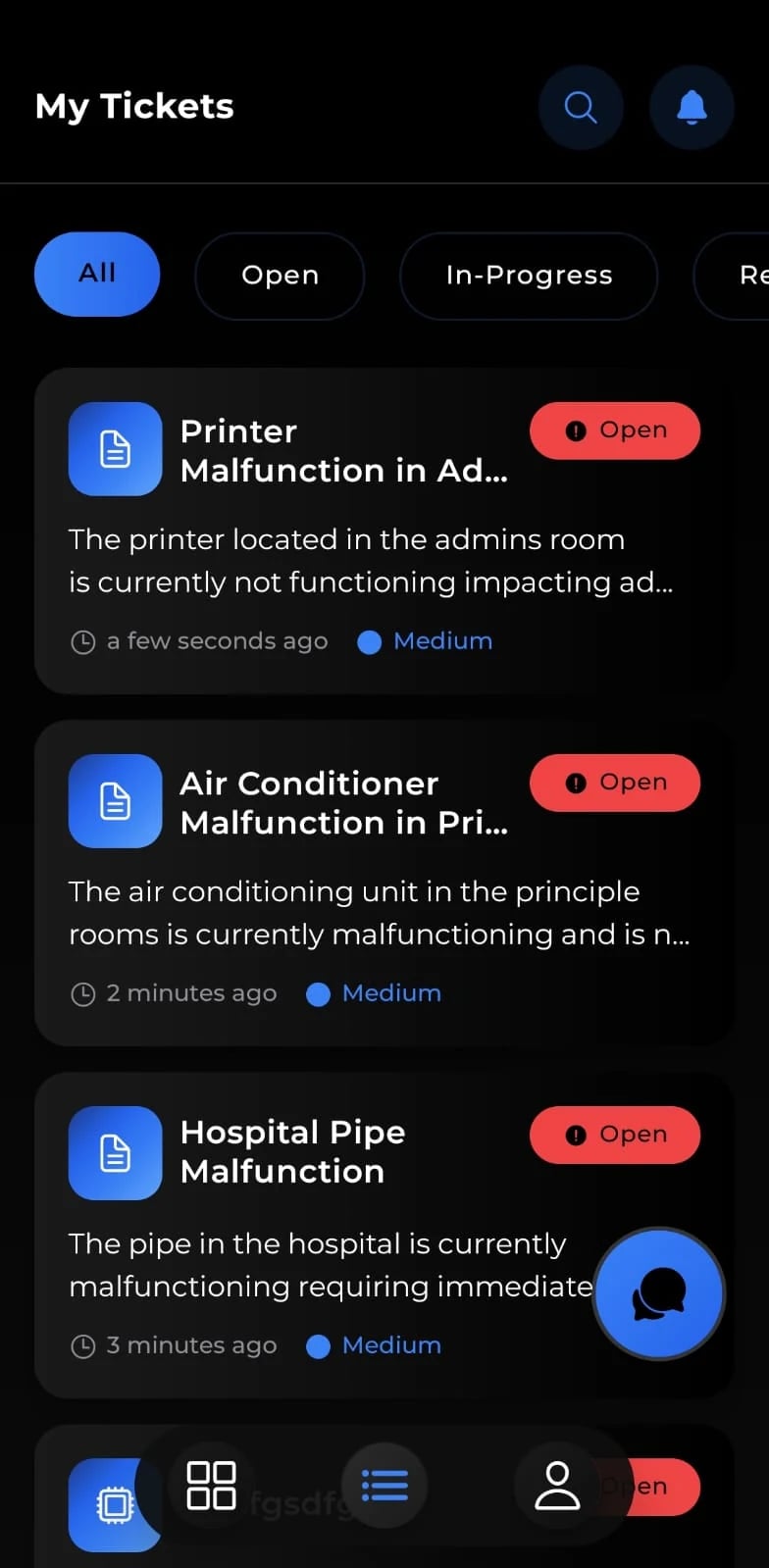
Maintenance and service technicians
Technician app
- Today's jobs by priority
- Before and after photos, checklists
- Request parts and petty cash
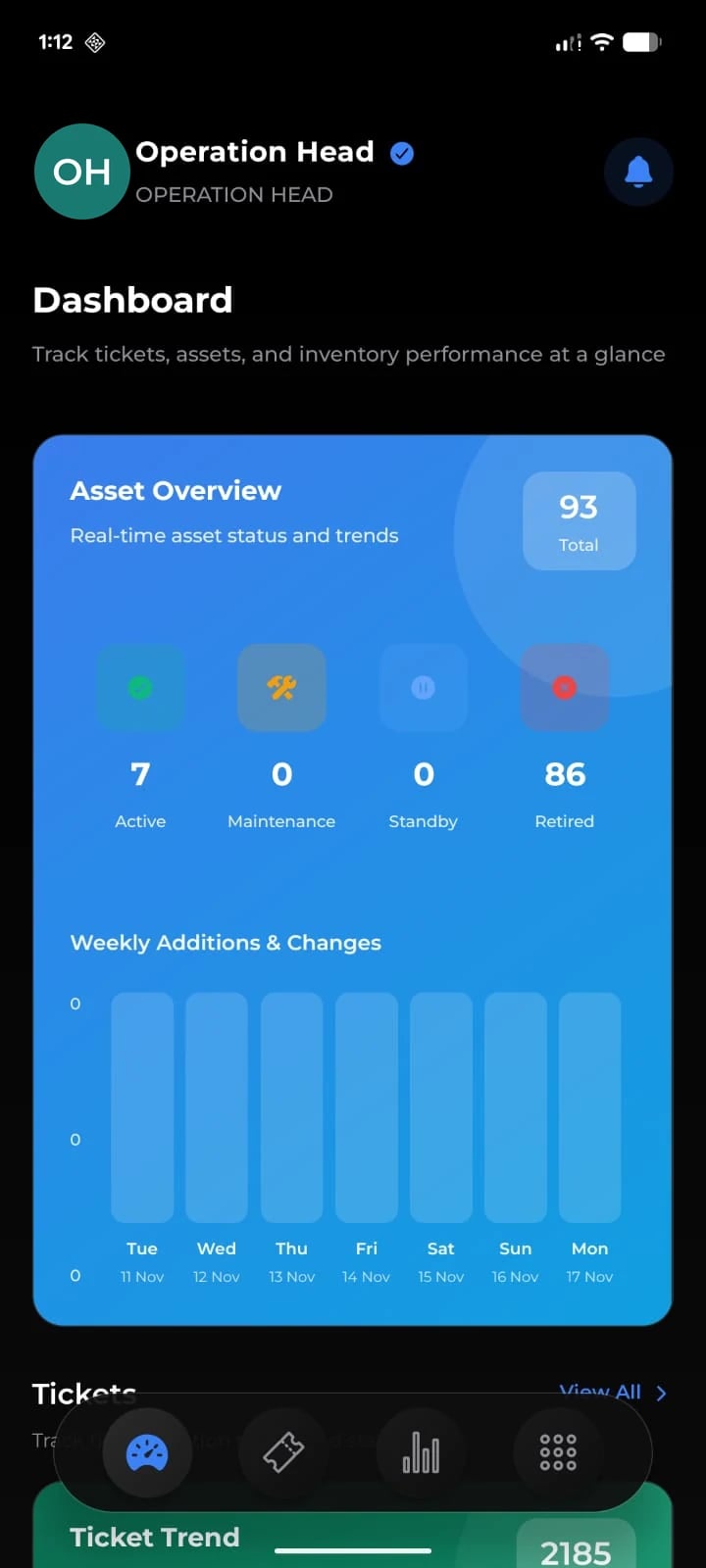
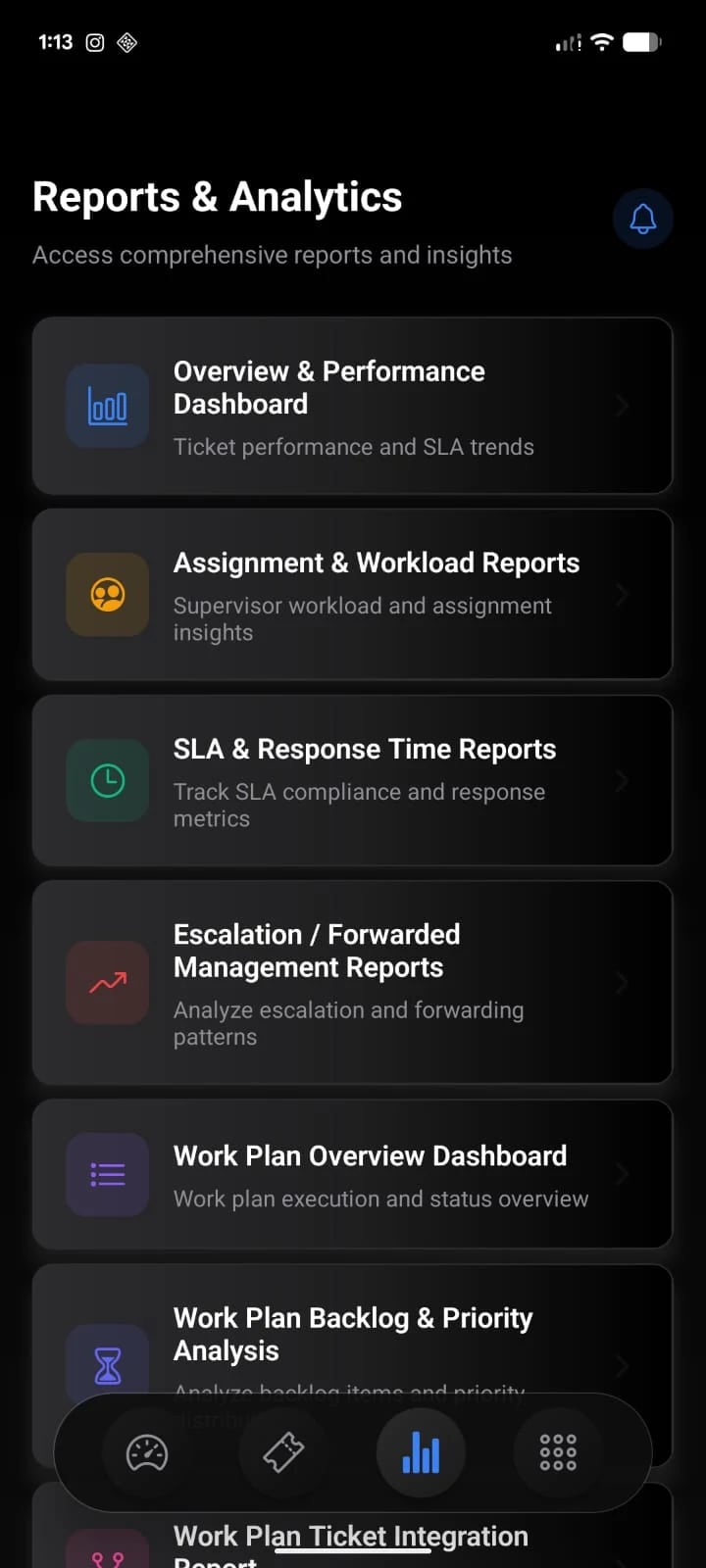
Supervisors, FM managers, heads
Supervisor and manager app
- Assign, forward, escalate, close
- Approve purchases and requests
- Role dashboard and reports
Cleaning and security staff
Field staff app
- Quick report to a supervisor
- After-hours access duties
- QR scan to verify entry
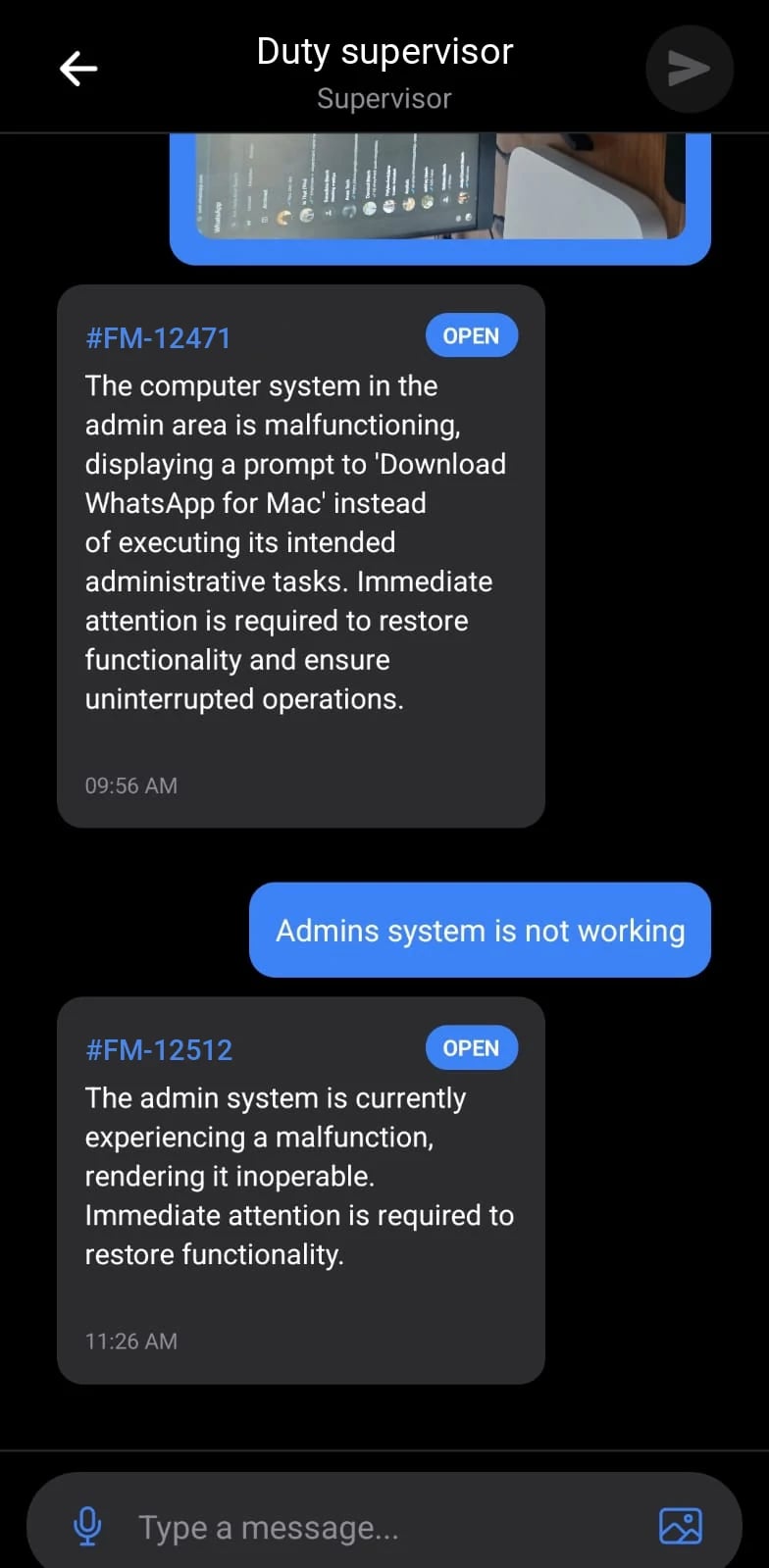
Screens are from the iOS and Android apps. Logos, ticket prefixes and profile photos were replaced before publishing.
Language and region
Built for teams that work in Arabic and English
The web console switches between English and Arabic with a full right-to-left layout, and requests written or spoken in Arabic are understood at intake. Procurement follows the documents and tax rates used in Saudi Arabia and the Gulf.
- Arabic interface with right-to-left layout in the web console
- Arabic and English messages understood by AI intake
- VAT at 15 percent, and commercial registration and VAT certificates for vendors
- Light and dark themes in the console and the apps
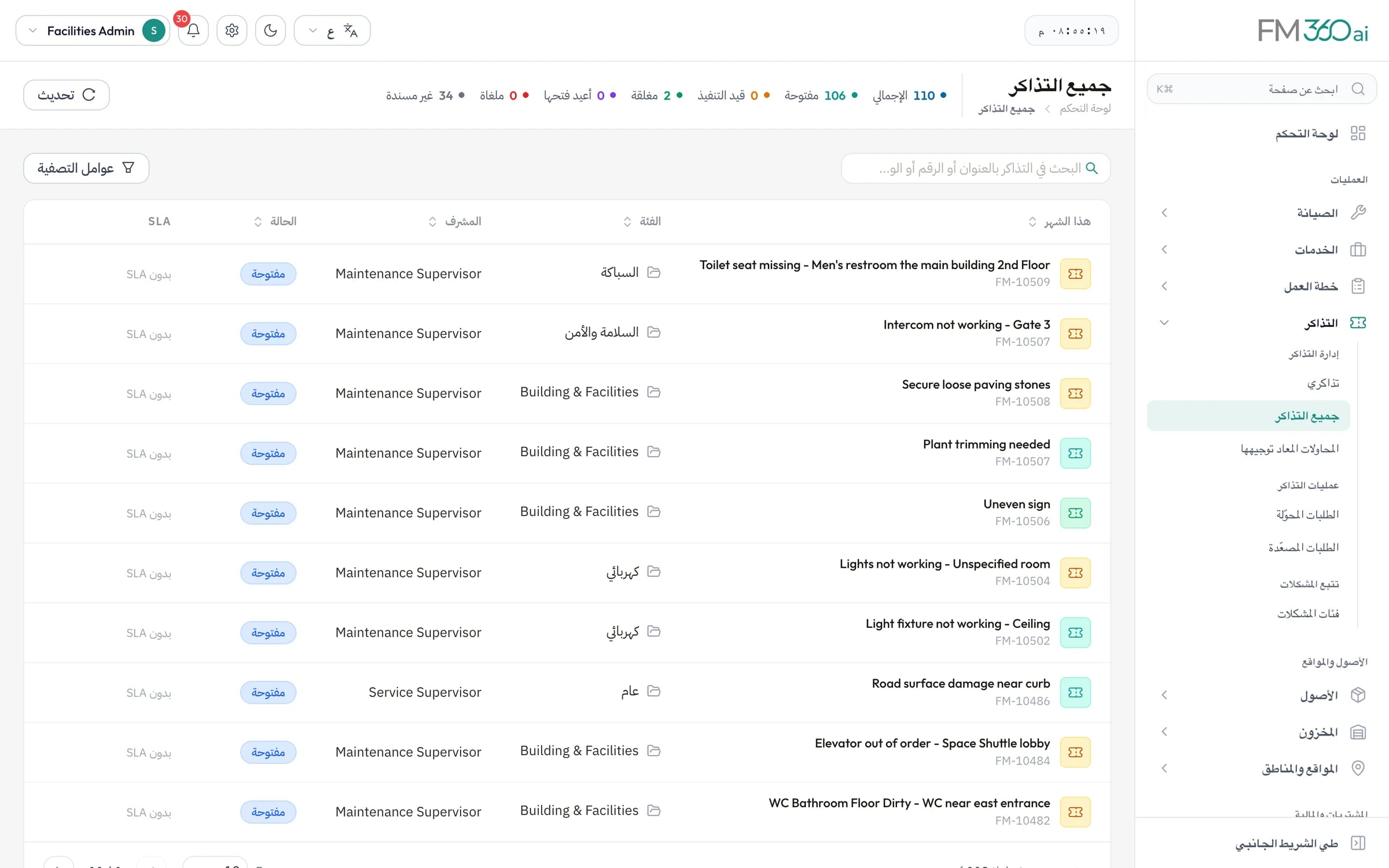
Swipe the screenshot to see all of it.
Who it is for
Built around how these teams actually work
Schools and campuses
Facilities software shaped by the way a school estate actually runs.
Read moreIn-house facilities teams
For teams that maintain their own buildings across one or several sites.
Read moreFacilities procurement and finance
For the people who buy, approve and account for facilities spending.
Read more
Readiness
What you can rely on, stated plainly
We would rather tell you exactly how the product works than describe it in adjectives.
Your own deployment
Each organisation runs in its own deployment with its own database, not in a shared multi-tenant pool.
Roles you define
Create roles and choose what each can see and do, module by module. Each mobile app admits only its intended roles.
A record of decisions
Tickets keep an activity timeline of changes, and every approval shows who approved, rejected or sent it back.
Configured, not customised
Locations, categories, priorities, SLAs, approval chains and required documents are settings you control.
FM360AI is built by Bairuha Tech, with offices in Dubai, Jeddah, Calicut and Long Eaton. About the company
Getting started
From first call to first ticket
- Step 1
Demo and fit
We walk through the product against how your team works and are direct about what it does not cover.
- Step 2
Configuration
Your location tree, issue categories, priorities, SLA policies, roles and approval workflows are set up.
- Step 3
Data and channels
Assets are registered, stock is imported from Excel, and your WhatsApp number and mailbox are connected.
- Step 4
Apps and go-live
Your team signs in to the console and the mobile apps, and requests start arriving as tickets.
Questions buyers ask first
Something else? Ask us directly.
What is FM360AI?
FM360AI is facility management software for organisations that maintain their own buildings. It covers request intake, tickets and SLAs, preventive maintenance, assets, inventory, vendors and procurement, budgets, petty cash and room booking, with a web console and mobile apps for requesters, technicians, supervisors and field staff.
Is it a CAFM or a CMMS?
It is closest to a CAFM system with a CMMS at its core: helpdesk-style request intake and service levels, plus planned maintenance, assets and spare parts, extended with procurement and budget control. It does not include lease or space planning.
How is the AI used?
To read incoming requests and create classified tickets, to analyse photos and transcribe voice notes, to rate reports for safety risk, to extract data from procurement documents and receipts, and to recommend a vendor when comparing quotations. Assignment, approval and closure are done by people.
Does it work with WhatsApp?
Yes. Your team links a WhatsApp number to FM360AI by scanning a QR code, and messages sent to that number are turned into tickets. Reporters receive an acknowledgement with the ticket number and a message when the job is completed. It is one-way intake rather than a chatbot.
Is it available in Arabic?
The web console is available in English and Arabic with a right-to-left layout, and Arabic messages are understood at intake. The mobile apps are currently in English.
How is FM360AI priced?
We do not publish a price list. Pricing depends on the modules you use and the size of your operation, and we provide a quotation after the demo.
Who makes FM360AI?
FM360AI is built by Bairuha Tech, a software company with offices in the United Arab Emirates, Saudi Arabia, India and the United Kingdom.
See FM360AI with your own buildings in mind
Tell us how requests reach your team today and what you maintain. We will walk you through the product on a call, using the workflows that matter to you.
- A walkthrough of the real product, not slides
- Time for your questions about fit and limits
- No obligation to continue