
Platform overview
One system, from the request to the budget line
FM360AI is a CAFM platform with a maintenance core. Its modules are not separate products joined by integration; they share one set of locations, assets, people and documents.
How one piece of work touches every module
Follow a single repair and you pass through most of the product.
- 1
Request
A message, email or app report is read and classified.
- 2
Ticket
It gets an owner, an SLA and a checklist.
- 3
Asset
It is linked to the equipment and its history.
- 4
Stock
The technician requests the parts it needs.
- 5
Purchase
What is not in stock is quoted, approved and ordered.
- 6
Budget
The order commits budget on the right ledger.
- 7
Report
Time, cost and outcome appear in the reports.
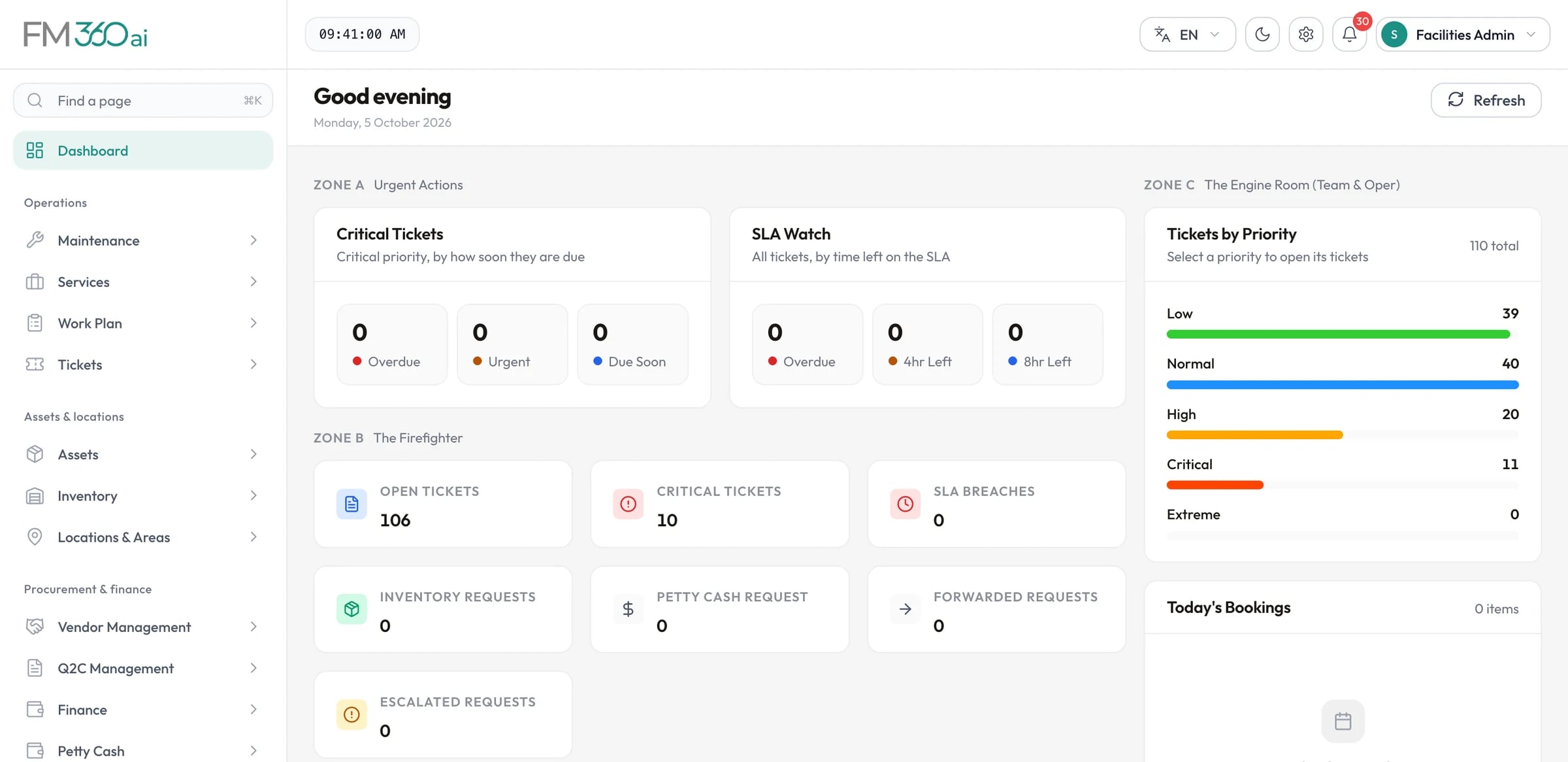
Swipe the screenshot to see all of it.
Modules
Ten areas, each with its own page
Requests
Maintenance
Assets & stock
Procurement & finance
Insight & access
Who uses what
One back end, reached through the surface that suits each person.
Web console
Administrators, supervisors, managers, procurement, finance
Every module, with a responsive layout, English and Arabic, light and dark themes.
Four mobile apps
Requesters, technicians, supervisors and managers, field staff
iOS and Android apps, each limited to its own roles, with push notifications.
WhatsApp and email
Anyone reporting a problem
No account needed: messages to your linked number or mailbox become tickets.
Secure links
Vendors and approvers
Vendors submit quotations and documents, and approvers decide, from a link without logging in.
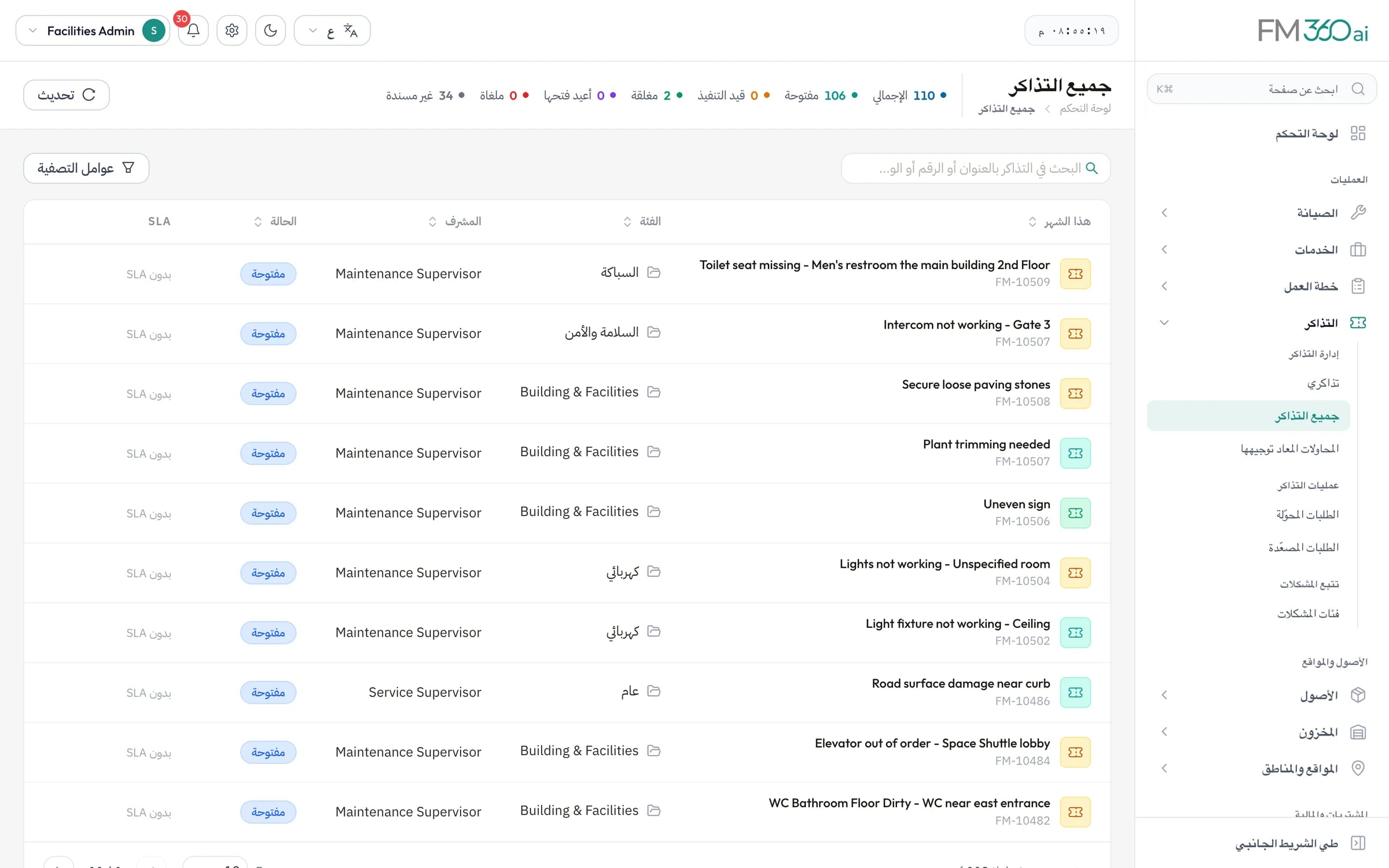
Swipe the screenshot to see all of it.
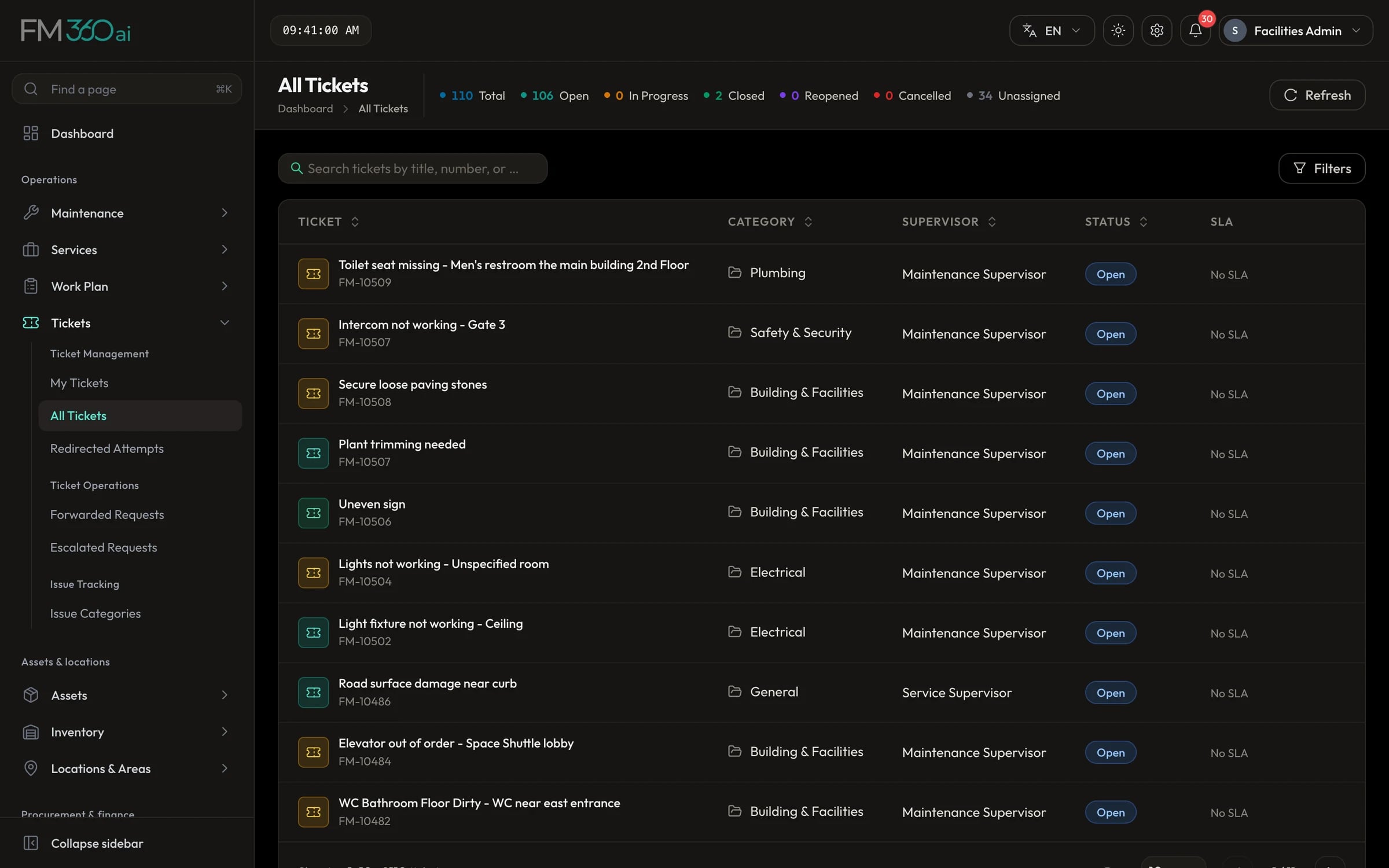
Swipe the screenshot to see all of it.
Shaped by settings, not by custom code
The things that differ between organisations are configuration your administrators control.
- Location tree
- Areas of any depth, with your own categories and types.
- Issue categories and priorities
- The lists the AI and your staff classify against.
- SLA policies
- Response and completion targets by priority, category and location.
- Ticket rules
- Keywords that fix category, priority, type or location.
- Roles and permissions
- Your own roles, with access set per module and action.
- Approval workflows
- Approvers, order and thresholds for each document type.
- Procurement documents
- Which steps of the purchasing chain are required.
- Working hours and access
- Working hours, open or strict intake, permitted email domains.
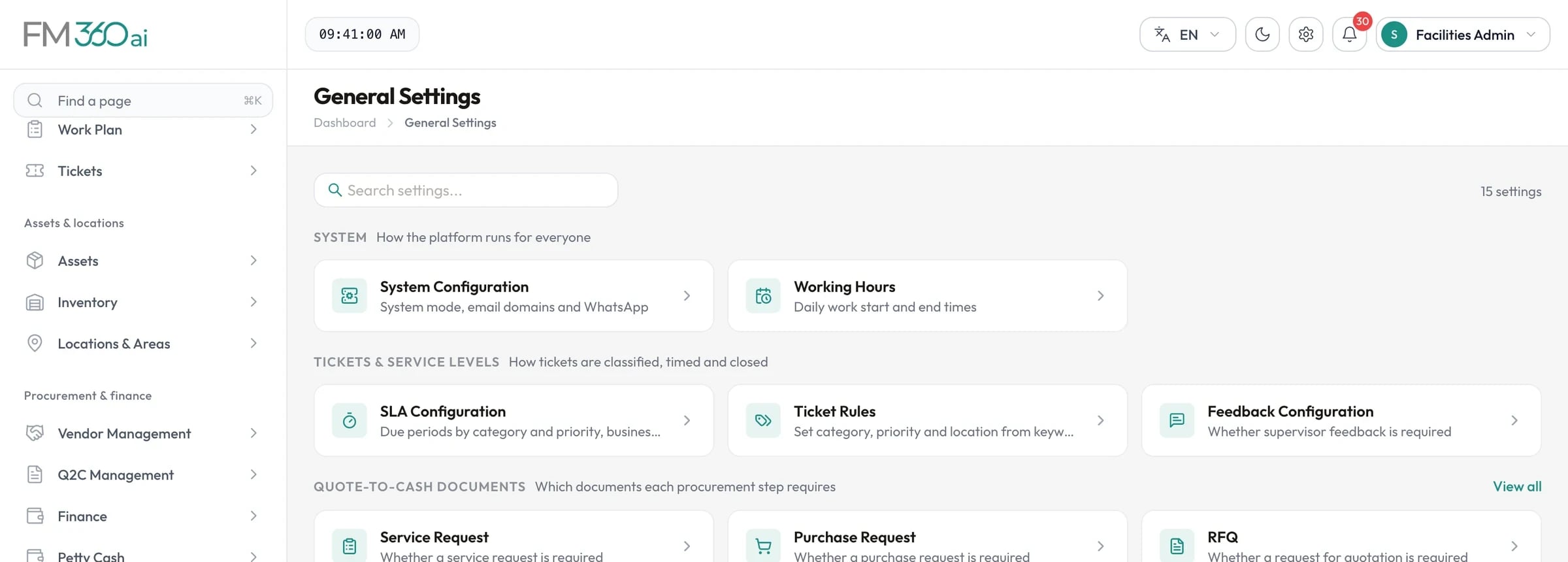
Swipe the screenshot to see all of it.
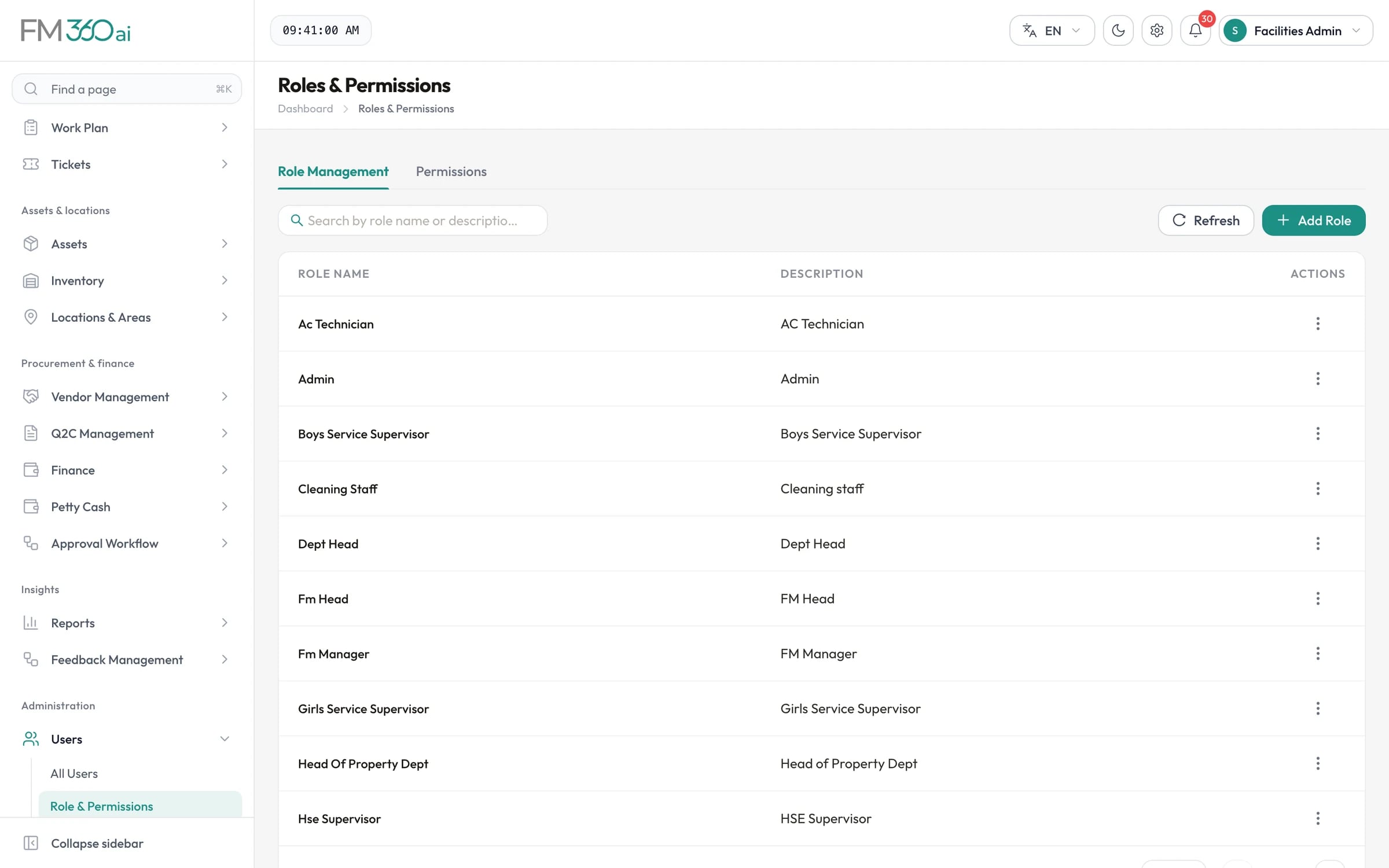
Swipe the screenshot to see all of it.
What FM360AI is not
Being clear about scope saves both of us time.
- It is deployed for one organisation at a time; it is not a shared multi-tenant service for managing many client organisations in one account.
- It does not include lease management, space planning, visitor management, security patrols or energy metering.
- It has no connectors to ERP, accounting, building management or identity systems today.
- It is not an accounting system; budgets and petty cash are for operational control.

See FM360AI with your own buildings in mind
Tell us how requests reach your team today and what you maintain. We will walk you through the product on a call, using the workflows that matter to you.
- A walkthrough of the real product, not slides
- Time for your questions about fit and limits
- No obligation to continue