
Skip to content
FM360AI
Menu

For procurement and finance

Every facilities purchase, tied to the job that needed it and the budget that paid for it

FM360AI puts purchasing, vendor management, approvals, budgets and petty cash in the same system as the maintenance work, so cost and cause are never separated.

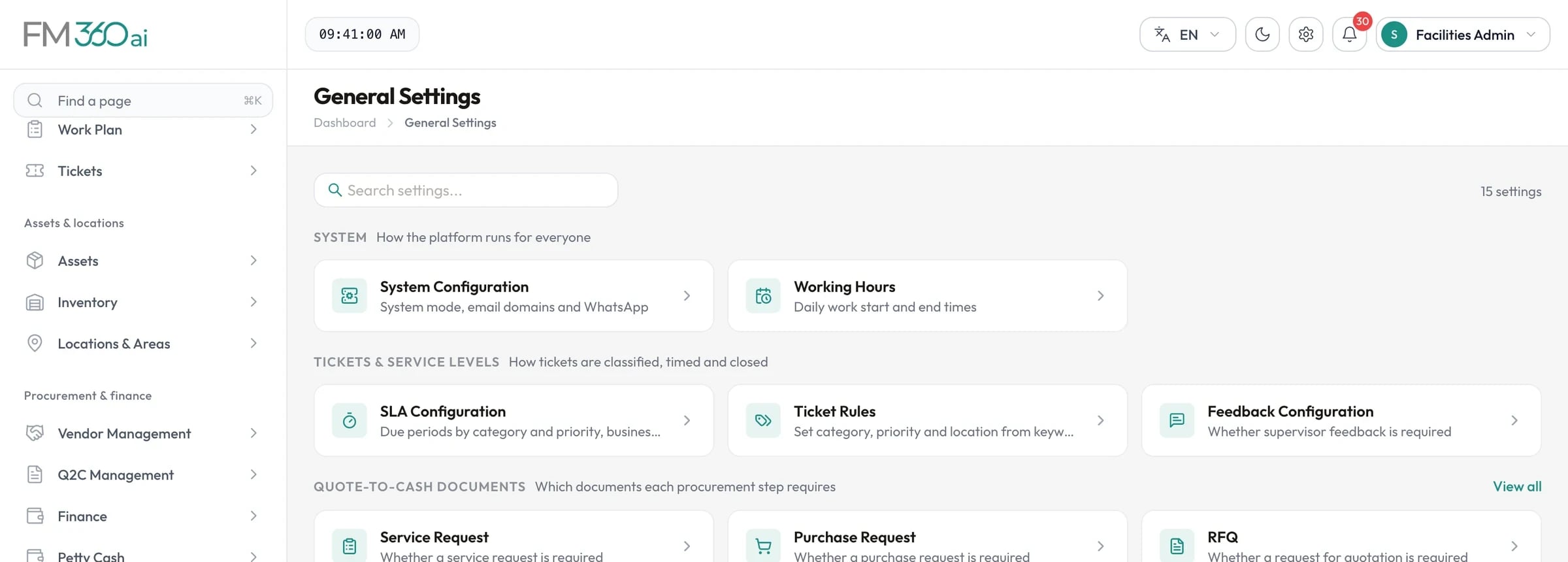
General settings catalogue with system configuration, working hours, SLA configuration, ticket rules and procurement document settings

Swipe the screenshot to see all of it.

Screens are from an FM360AI demo environment. Names and contact details have been replaced.

The situation

What makes this hard

  • Quotations are compared by hand

    Vendors send PDFs in different layouts and someone retypes them into a spreadsheet.

  • Approvals have no trail

    Decisions are made in emails and messages that nobody can reconstruct later.

  • Commitments are invisible

    The budget shows what has been paid, not what has been promised.

  • Vendor records are scattered

    Registration documents, bank details and performance sit in different folders.

How FM360AI helps

The parts of the product that matter here

Vendors onboarded properly

Invite a vendor by email and they register themselves, uploading the company documents you require. Registration is approved through a workflow before the vendor is qualified.

  • Required documents by vendor origin
  • Bank accounts, tax and registration numbers
  • Leads, suspension and blacklist with reasons
Procurement and vendors
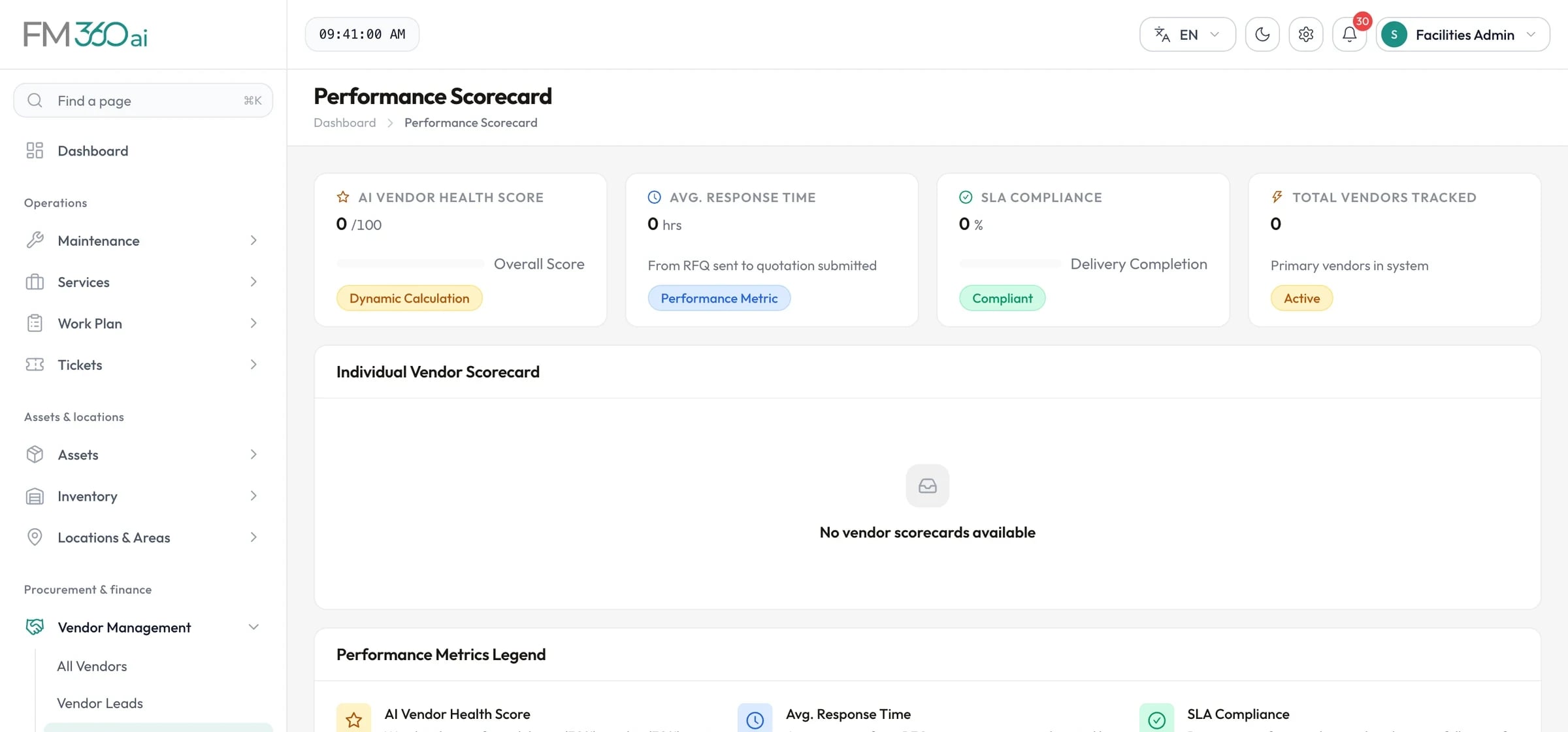
Vendor performance scorecard with health score, average response time, SLA compliance and a legend of how each metric is calculated

Swipe the screenshot to see all of it.
Quotations read and compared for you

Vendors submit through a link, or you upload their document and AI extracts the lines. FM360AI scores the quotations and recommends a vendor with its reasoning.

  • Extraction from PDF, image, Excel and Word
  • Scoring on price, rating, warranty and terms
  • Cheapest vendor per line and split-order savings
Procurement and vendors
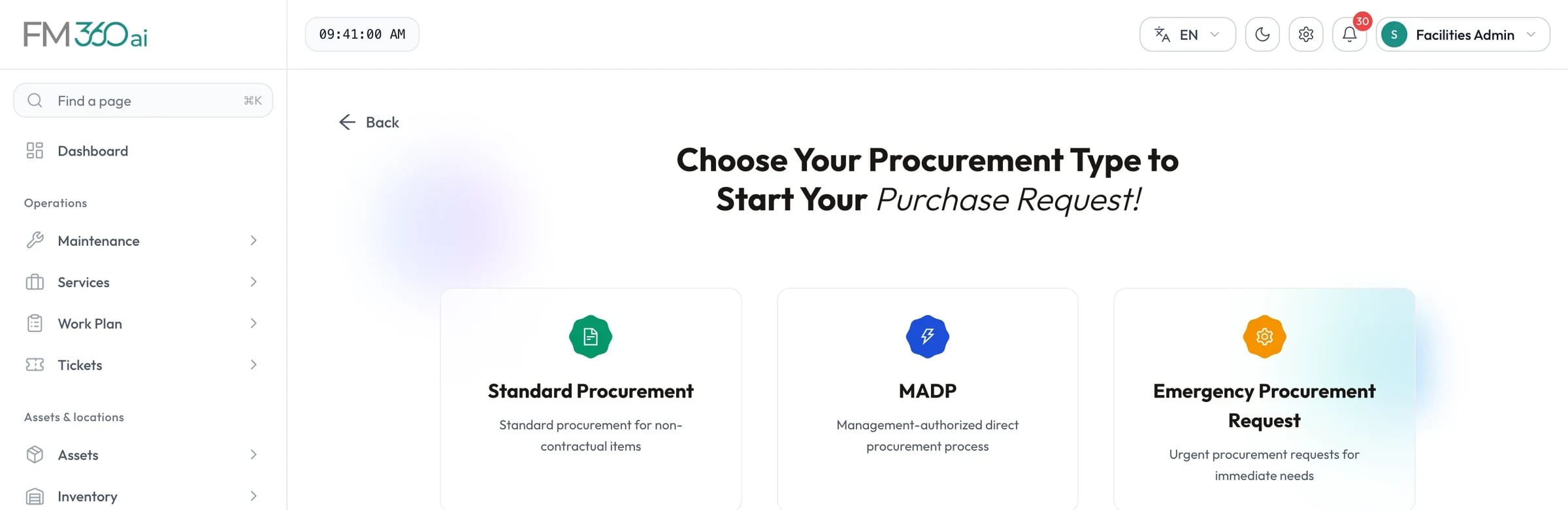
Purchase request start screen offering standard procurement, management-authorised direct procurement and emergency procurement

Swipe the screenshot to see all of it.
Approvals with thresholds and a record

Approval templates define who approves each document type, in what order, and above what amount or budget utilisation. Every decision is on the document's timeline.

  • Approve in the console, the app or by email link
  • Send back for correction
  • Budget impact shown to the approver
Procurement and vendors
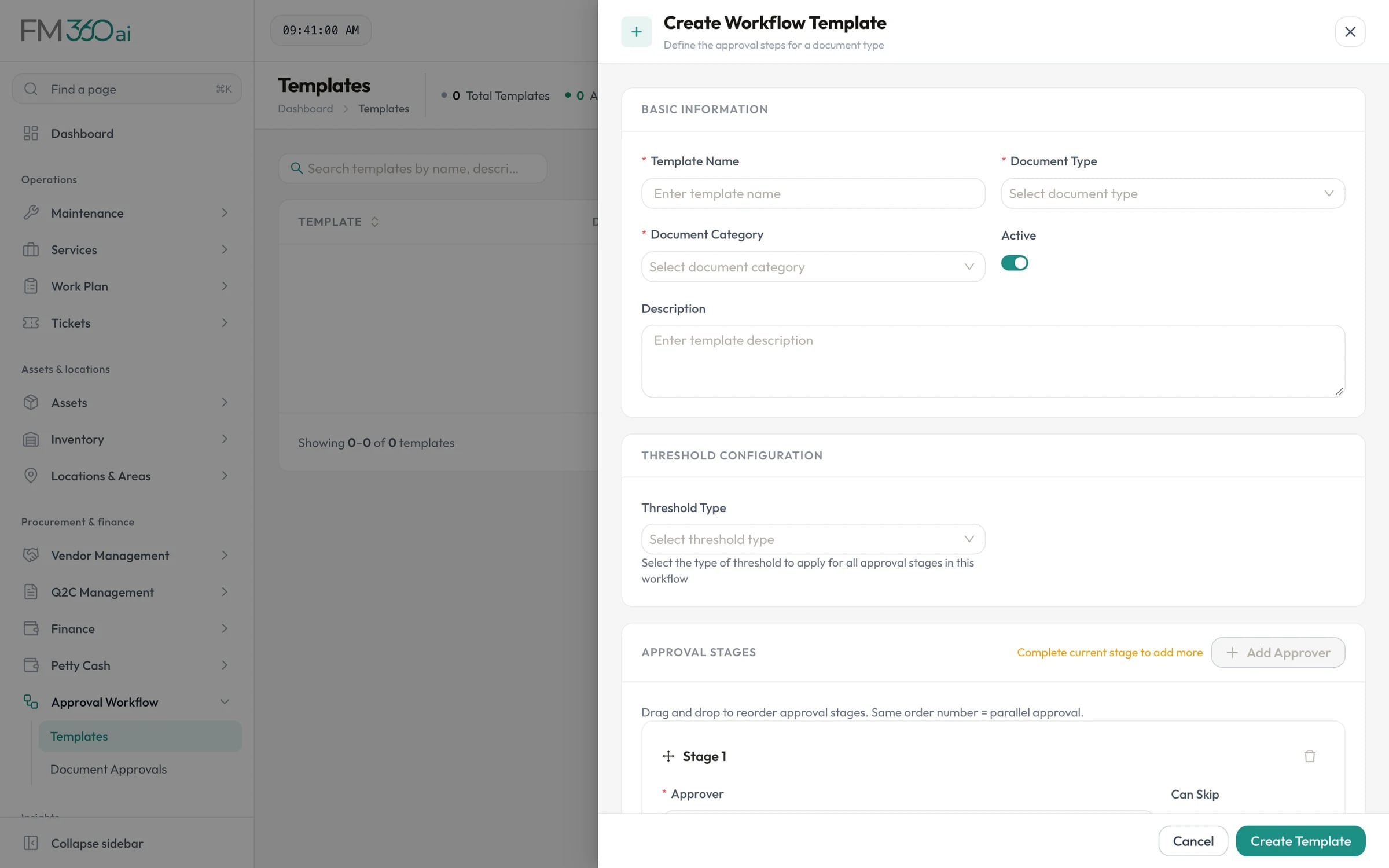
Create workflow template form with document type, threshold configuration and ordered approval stages

Swipe the screenshot to see all of it.
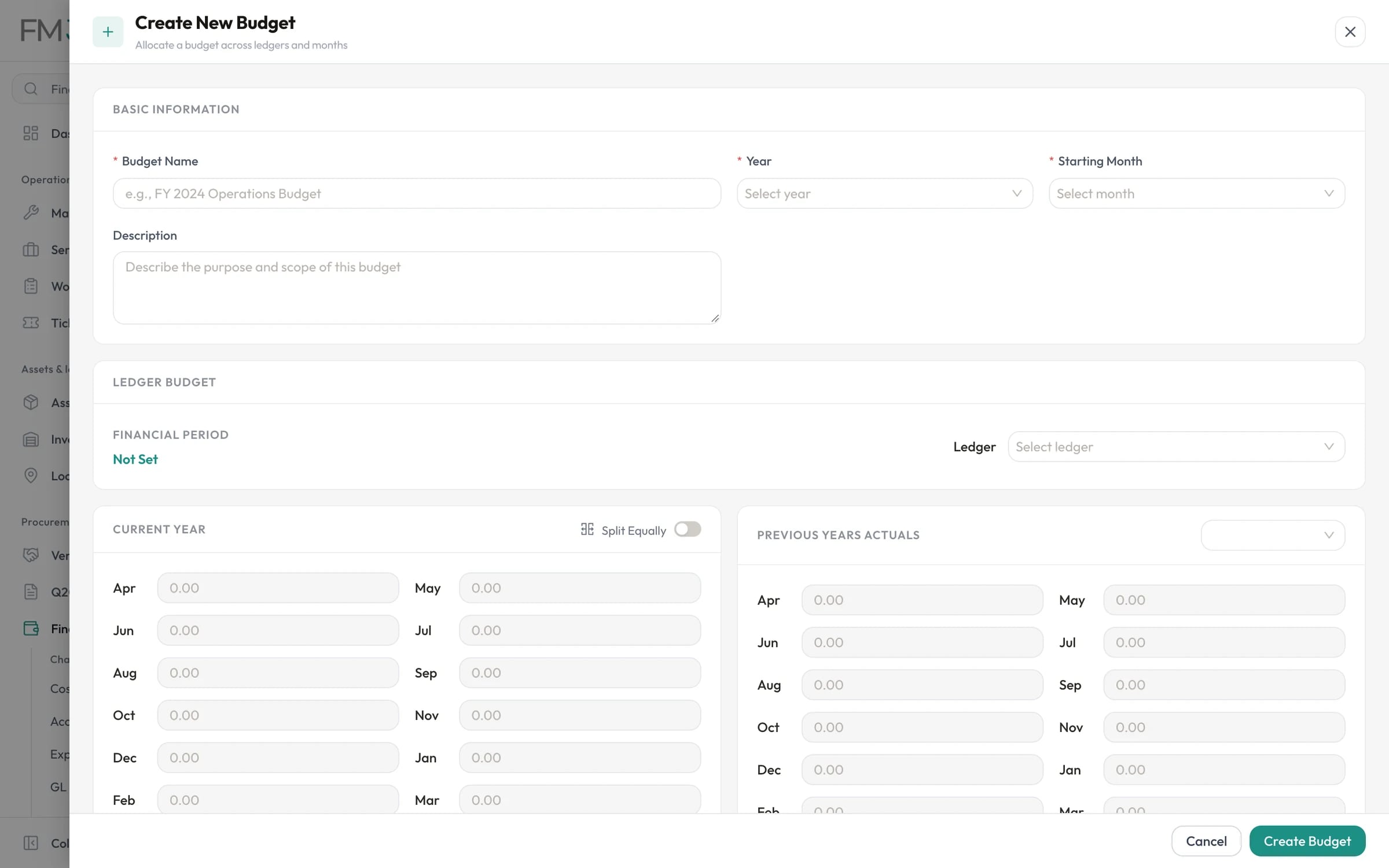
Budgets that know what has been committed

Approved purchases reserve budget, payments convert it to spend and closed orders release the remainder, month by month and ledger by ledger.

  • OPEX, programme and project budgets
  • Budget versus actual with Excel export
  • Petty cash limits, vouchers and replenishment reports
Budgets and petty cash
Create budget form with year, starting month, ledger, monthly allocations and previous year actuals

Swipe the screenshot to see all of it.

In practice

A purchase in FM360AI

An example of one purchase moving through the system.

  1. Day 1

    A chiller needs a compressor

    The supervisor raises a purchase request from the ticket. It is approved the same morning from a phone.

  2. Day 1

    RFQ sent

    Three qualified vendors receive the request by email and WhatsApp with a link to submit.

  3. Day 3

    Quotations in

    Two vendors submit through the link; the third sends a PDF, which is uploaded and read by AI.

  4. Day 3

    Compared and awarded

    The comparison recommends a vendor. Procurement awards it and the others are notified.

  5. Day 4

    Order approved

    The purchase order exceeds the first threshold, so it passes two approvers. The amount is committed against the HVAC ledger.

  6. Day 9

    Delivered and paid

    The delivery is logged and quality-checked, the payment request approved and the invoice recorded.

Is FM360AI a fit?

Where it suits well, and what it does not cover today.

A good fit for

  • Facilities teams that buy parts and services regularly
  • Organisations that need approval limits and an approval record
  • Teams working in Saudi Arabia and the Gulf: VAT at 15 percent, commercial registration and VAT certificates for vendors, Arabic documents
  • Finance teams that want commitments visible before invoices arrive

Not covered today

  • A replacement for an ERP or general ledger
  • Integration with accounting, payment or e-invoicing systems
  • Multi-currency purchasing

Common questions

Can vendors submit quotations themselves?

Yes. An RFQ sends each vendor a secure link by email or WhatsApp. They open it and enter or upload their quotation without needing an account.

How reliable is the AI extraction?

It fills in the form for a person to check, and it is designed to save typing rather than to be trusted blindly. Review the vendor, lines and totals before saving, particularly for long documents, since only the first page of a PDF is read.

Can we set approval limits?

Yes. Each stage in an approval template can apply above a monetary amount or a budget utilisation percentage, and stages can be marked as skippable.

Does it work with our accounting system?

There is no direct integration. Budget analytics and petty cash reports can be exported to Excel for use elsewhere.

See FM360AI with your own buildings in mind

Tell us how requests reach your team today and what you maintain. We will walk you through the product on a call, using the workflows that matter to you.

  • A walkthrough of the real product, not slides
  • Time for your questions about fit and limits
  • No obligation to continue