
QR labels for assets
Generate a QR code for any asset, download it as a labelled image for printing, and scan a code with a camera to pull up the asset. Locations get QR codes too.
Swipe the screenshot to see all of it.
Assets and locations
FM360AI keeps a register of every asset against a location tree you define, and connects each asset to the tickets, schedules and spending that involve it.
Swipe the screenshot to see all of it.
The problem
Asset lists tend to be built once for an audit and then left to drift. Without a current register, preventive maintenance has nothing to attach to and repeated failures look like unrelated jobs.
What FM360AI does
Generate a QR code for any asset, download it as a labelled image for printing, and scan a code with a camera to pull up the asset. Locations get QR codes too.
Swipe the screenshot to see all of it.
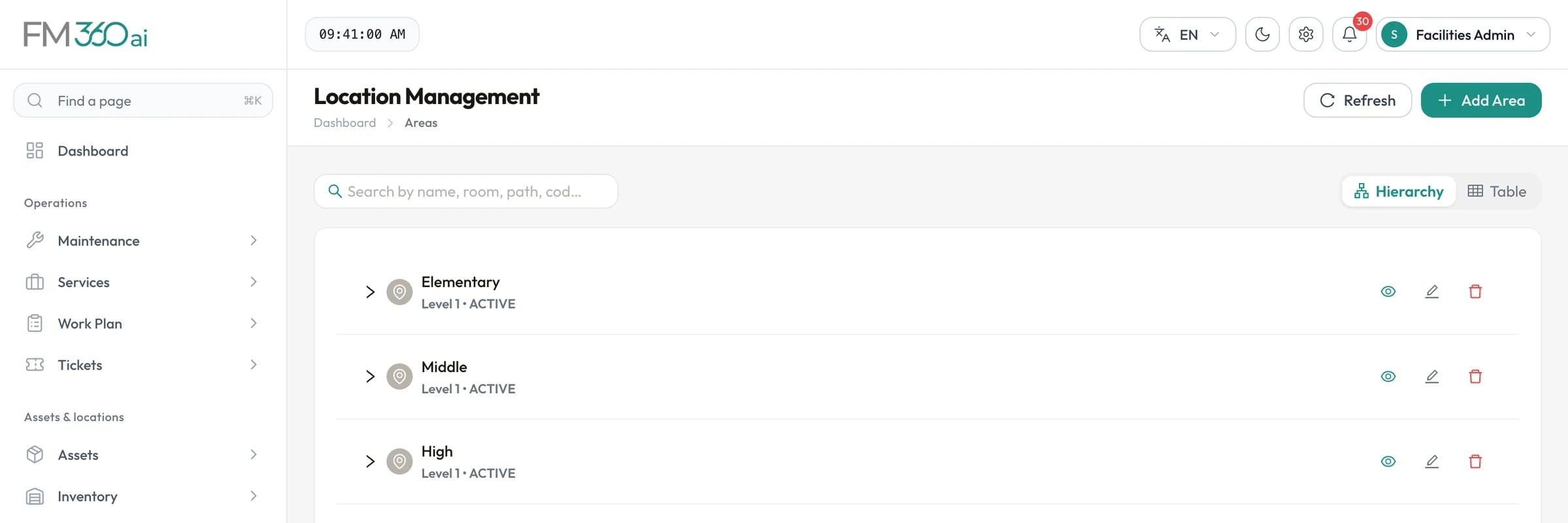
Model your estate as a hierarchy of areas of any depth: campus, building, floor, room, or whatever levels you use. Area categories and types are yours to define, and each area can be flagged as bookable.
Swipe the screenshot to see all of it.
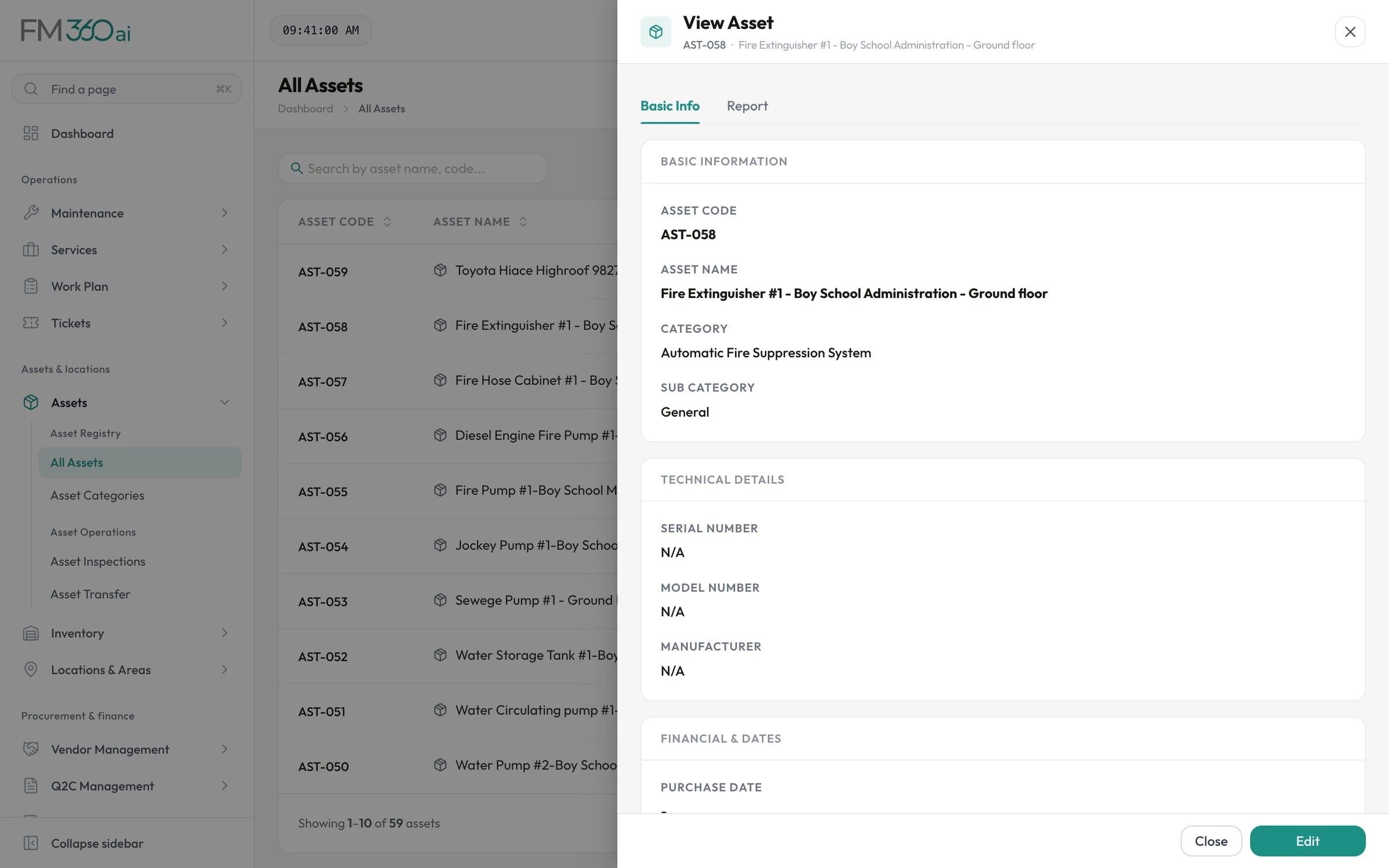
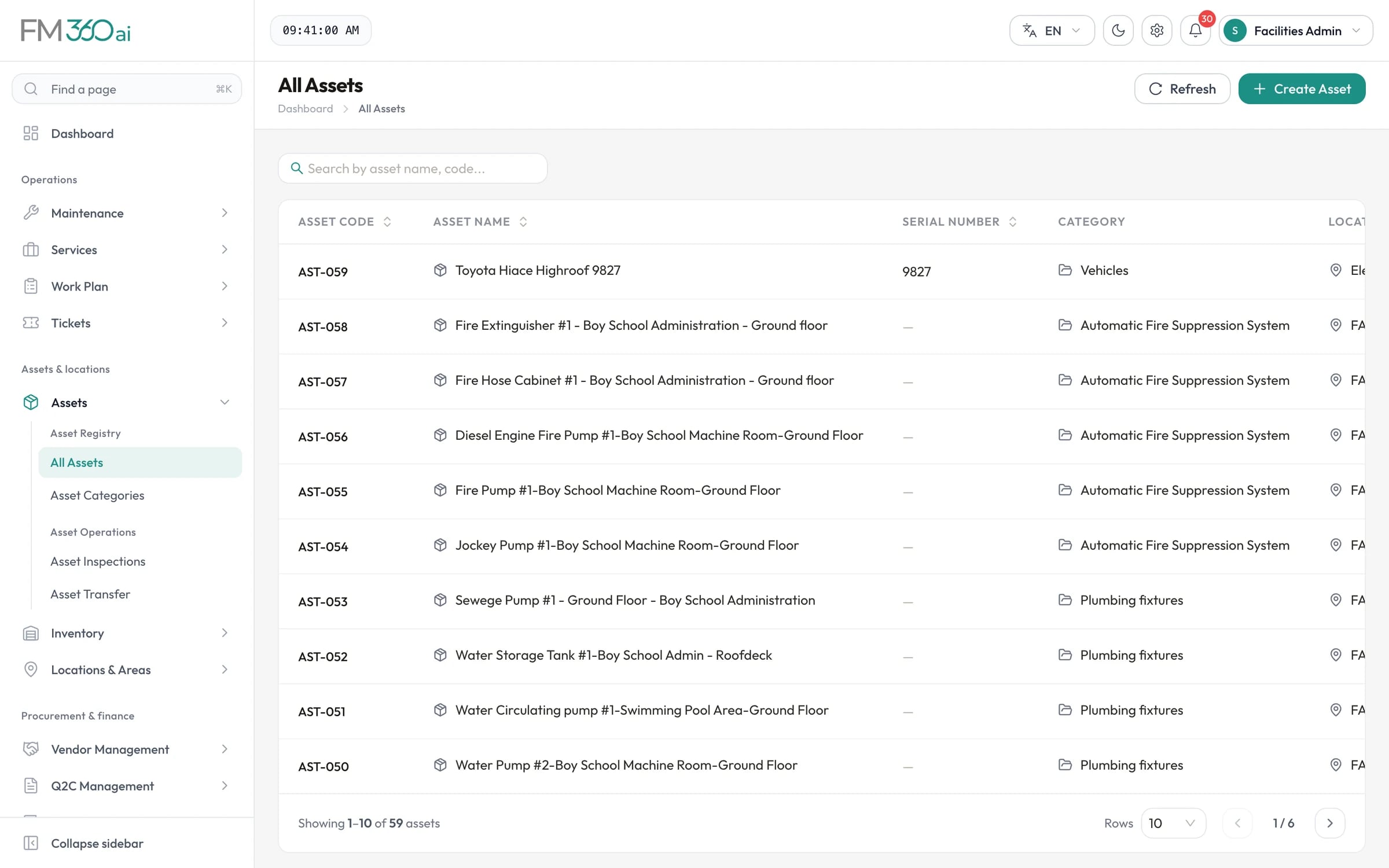
Each asset has an automatic code, a category and sub-category, serial and model numbers, manufacturer, purchase date and cost, warranty expiry, installation date, location and status. Search and sort the whole register from one list.
Open a ticket for an asset and its Asset 360 tab shows that asset's details, preventive maintenance history, inspection history, expense history and recurring schedules. The technician and the supervisor see the same background.
Record when an asset moves from one location to another. The move appears in the asset's history and in the asset transfer analytics.
Asset history, performance, lifecycle and utilisation reports can be exported to Excel and PDF, including assets by age group and warranty status.
How it works
Add the asset with its category, identifiers, dates and the area it sits in.
Generate the QR code and fix the printed label to the equipment.
Assign the checklist template and recurring schedule that apply to it.
Reactive and planned tickets are linked to the asset as they happen.
See what was done, when and at what cost before deciding to repair or replace.
The scope and limits of this part of the product, so there are no surprises later.
Yes. Locations are a tree of areas with as many levels as you need. You define the area categories and types, so the same structure works for a single building or a multi-campus estate.
FM360AI generates a QR code for an asset from its asset code. You can preview it, download it as an image to print, and scan it from the web console with a device camera to find the asset.
Yes. The asset view lists linked tickets and transfers, the Asset 360 tab on a ticket shows preventive maintenance, inspection and expense history, and the asset history report exports the same record to Excel or PDF.
Each asset can hold a parts list, and tickets can reference the asset parts involved. Stock quantities are managed in the inventory module, where technicians request items for a job.
Tell us how requests reach your team today and what you maintain. We will walk you through the product on a call, using the workflows that matter to you.