
An item catalogue with value
Each item has a code, category, unit, location, quantity, unit price and total value, and is marked consumable or non-consumable. Items can be linked to an expense account so that usage lands in the right budget line.
Inventory
FM360AI keeps stock items with their quantities, value and a low-stock threshold, and lets technicians request what a job needs from their phone. Approving the request is what issues the stock.
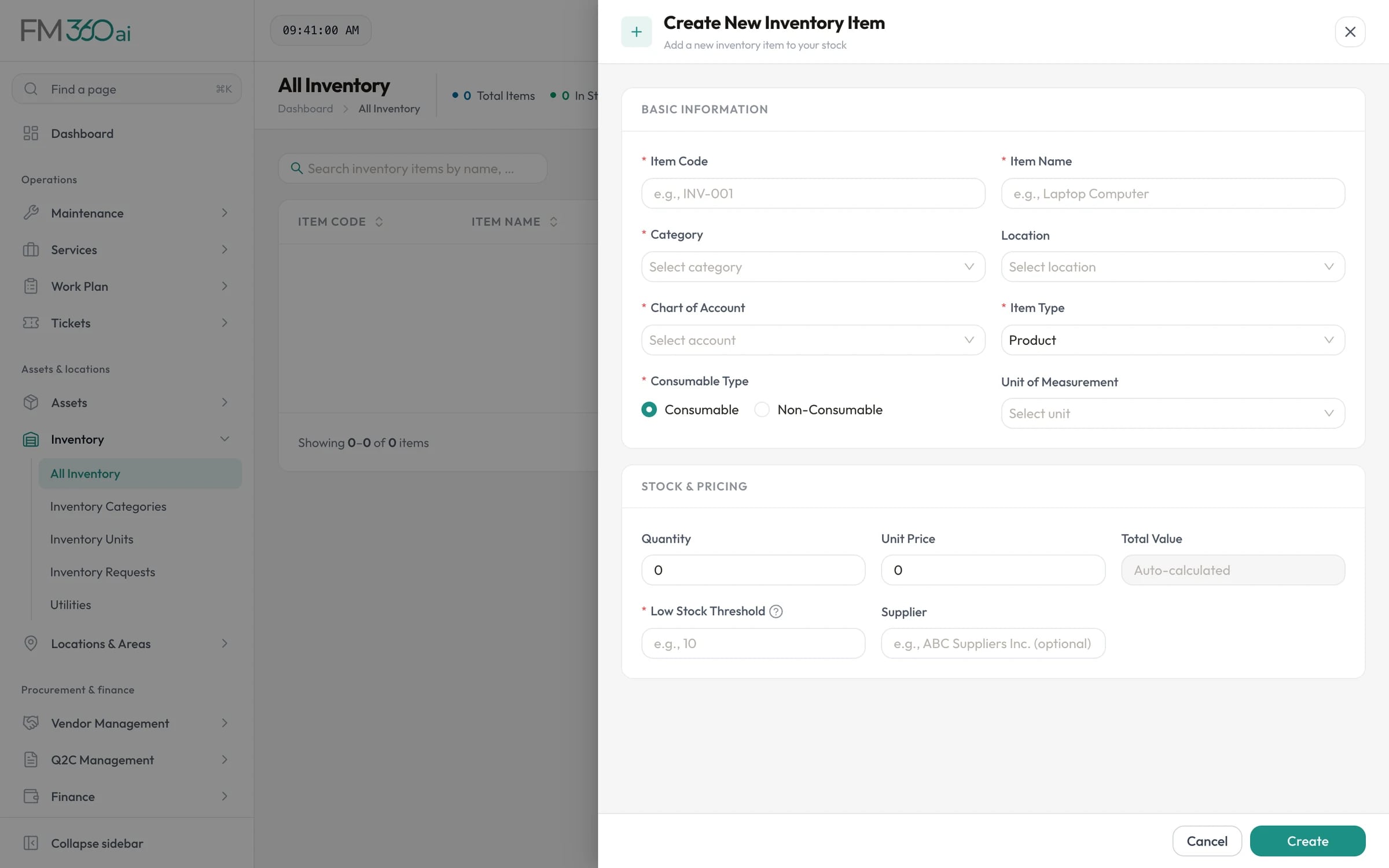
Swipe the screenshot to see all of it.
The problem
A store run from a notebook cannot tell you what was used on which job, or warn you before a common part runs out.
What FM360AI does
Each item has a code, category, unit, location, quantity, unit price and total value, and is marked consumable or non-consumable. Items can be linked to an expense account so that usage lands in the right budget line.
Give each item a threshold. Items show as in stock, low stock or out of stock, and when an approved request takes an item below its threshold, the responsible people are alerted in the app and by email.
A technician working a ticket can request stock items with quantities from the mobile app. The supervisor approves each line, in full or in part, against the live stock figure, or rejects it.
Bring in your existing stock list from an Excel or CSV file of up to 500 rows. FM360AI validates the rows, shows a preview, skips duplicates and provides a template to start from.
When purchased items are received and pass the quality check in the receival log, their quantities are added to inventory, so purchasing and stock stay in step.
Low stock alerts and inventory analytics show what is running short and how stock value is distributed, with PDF and Excel export.
How it works
Create or import items with units, quantities, prices and thresholds.
The technician raises an inventory request from the ticket on their phone.
Each line is approved in full or in part, limited by what is actually in stock.
Approved consumables reduce the quantity on hand; low items trigger an alert.
Raise a purchase request, and received goods update the stock figure after the quality check.
The scope and limits of this part of the product, so there are no surprises later.
Yes. On tickets in categories where inventory requests are enabled, the technician app lets them pick a location, search stock items and enter quantities. The request appears for the supervisor to approve.
Every item has a low-stock threshold. The item list shows low and out-of-stock items, the Low Stock Alerts report lists them, and when an approved request brings an item to or below its threshold an alert is sent in the app and by email.
Yes. Download the template, fill it in and import up to 500 rows per file. Rows are validated and previewed before anything is saved, and duplicates are skipped.
Yes. When a delivery is recorded in the receival log and the quality check is approved, the accepted quantities are added to the matching inventory items.

Tell us how requests reach your team today and what you maintain. We will walk you through the product on a call, using the workflows that matter to you.